Williams Indiana Jones the Pinball Adventure
Repairs, Restorations, Tweaks and Insights
Introduction
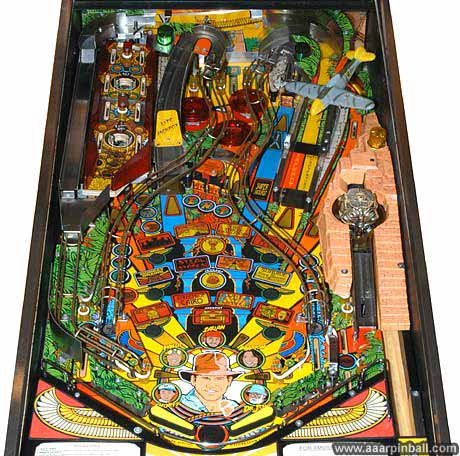
What a pinball machine! Indiana Jones (1993, Williams) was my first pinball machine. It's hard to imagine a better pinball machine to own. This is especially true if you enjoyed any of the movies. This pin has a great combination of shots, speed, modes and playfield toys. This game has it all.
-
It's a 7 ball game! (6 for regular play, one ball is in the captive ball wireform)
-
The Path of Adventure rocks back and forth. Great playfield toy.
-
The Idol holds locked balls, spins, and releases them.
-
The sound and music are perhaps the best of any Williams pin I have heard.
-
Playfield artwork is excellent.
-
Great video modes!
Being my first pinball machine purchase, I later learned that I didn't get the best deal. I suspect this has happened to others on their first purchase. While I was told it would be shopped and working 100%, I didn't have a good baseline to know what a shopped pin should look like. For example, I thought torn apron decals were the norm for a 15 year old machine. Fortunately, IJ was generally in good electrical and mechanical shape. Rather, it was exceptionally dirty. Shopped apparently meant using a paper towel on the easily accessible areas.
As of March 2009, I've just spent close to 4 weeks shopping IJ. It looks great. I've very happy to have it and it is not going anywhere.
Replacement Bi-Plane
April 21, 2022
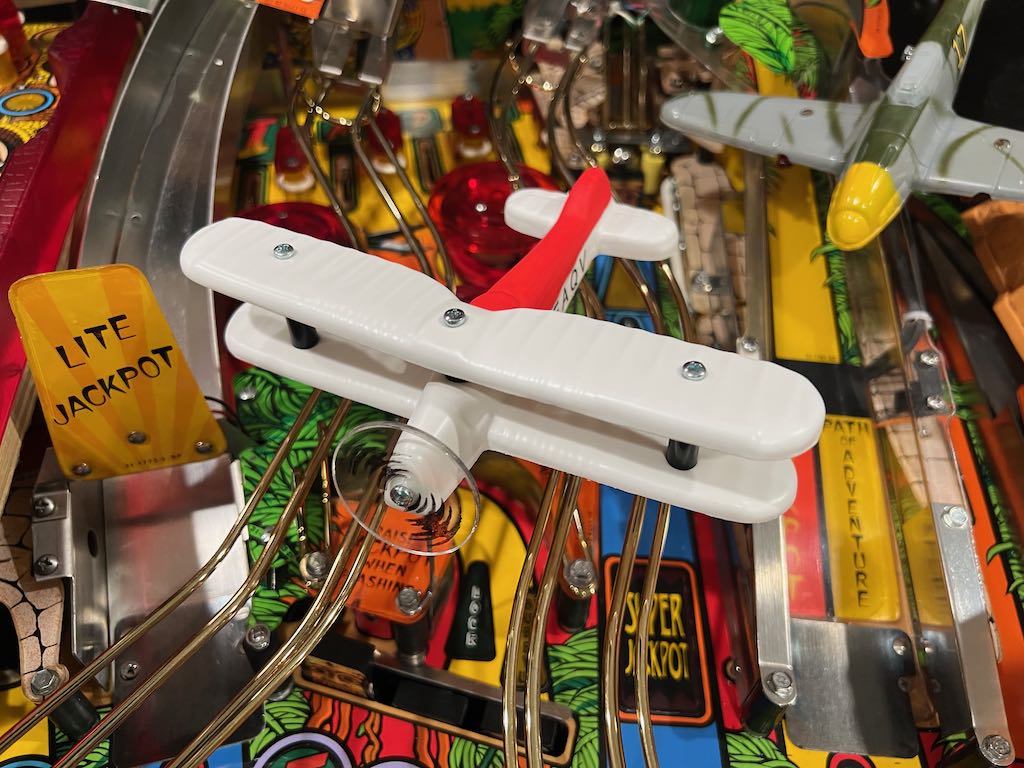
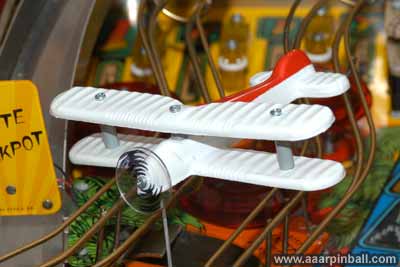
When I got Indiana Jones back in 2004 or so, it didn't have the bi-plane. It did have the wire support, but no plane. Recall back in 2004 it was really difficult to get pinball parts! Luckily, there was a company called RNR Pinball that specialized in Indiana Jones restorations and he sold the bi-plane. It didn't come painted, but that was a small price to pay.
I brought my Indiana Jones to Southern Fried Gameroom expo many years ago and, sadly, the bi-plane broke. It didn't break because of the ball hitting it. Rather, the upper wing got snagged by the playfield glass when the glass was being put back on. It just so happened that Marco Specialties was at SFGE and they had a replacement bi-plane. I purchased it. Then I proceeded to forgot about it for 5+ years.
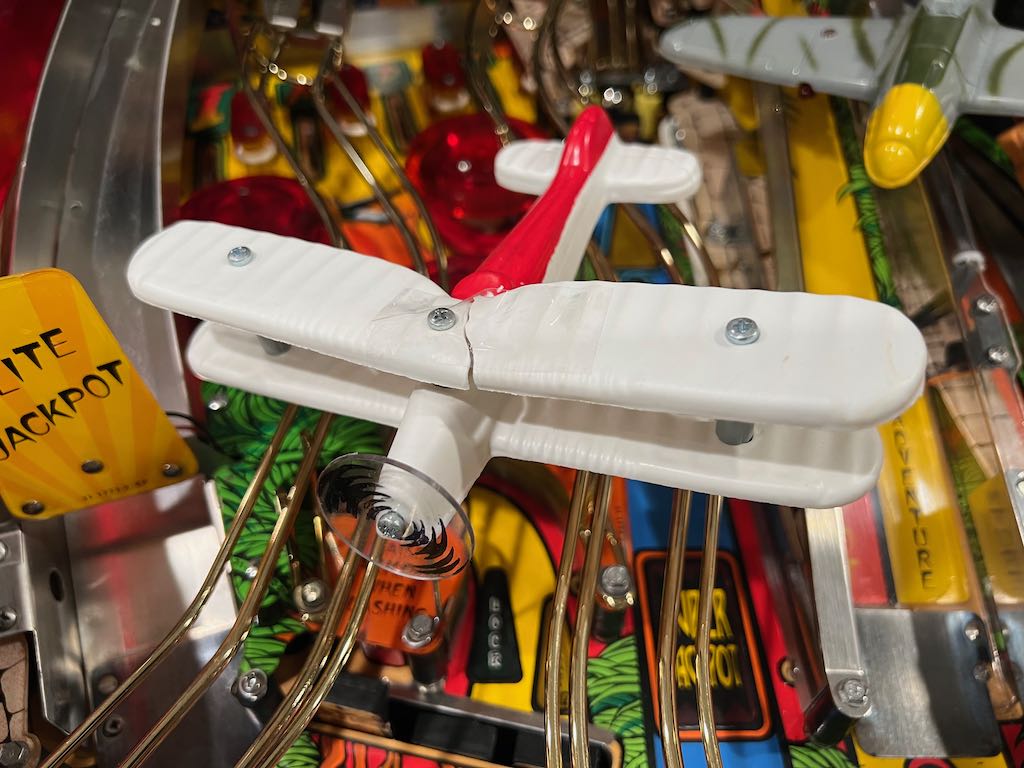
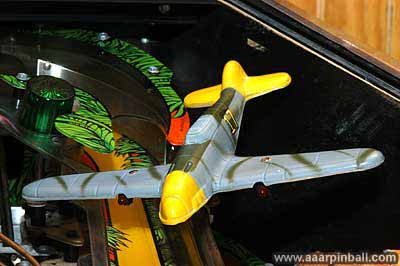
I finally replaced the broken bi-plane, which had the upper wing held together by tape. Below is the broken bi-plane and the Macro replacement. They are very similar, although the red I used is darker and has more shine. The letters are in a slightly different location.
ColorDMD For Indiana Jones
April 21, 2022
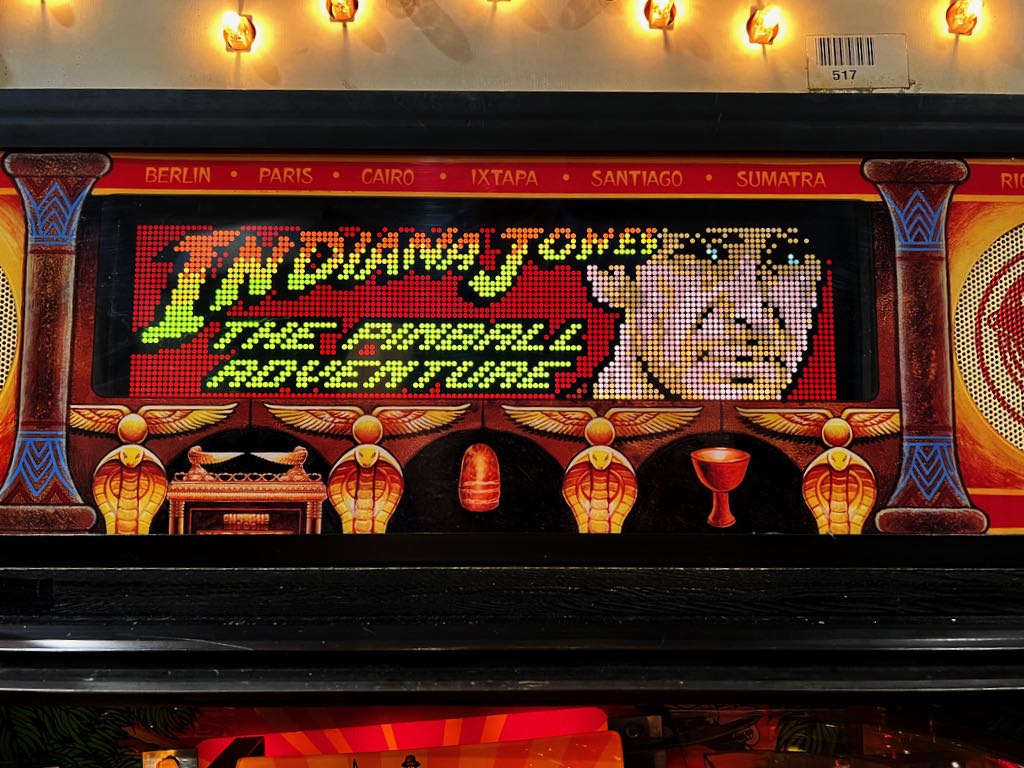
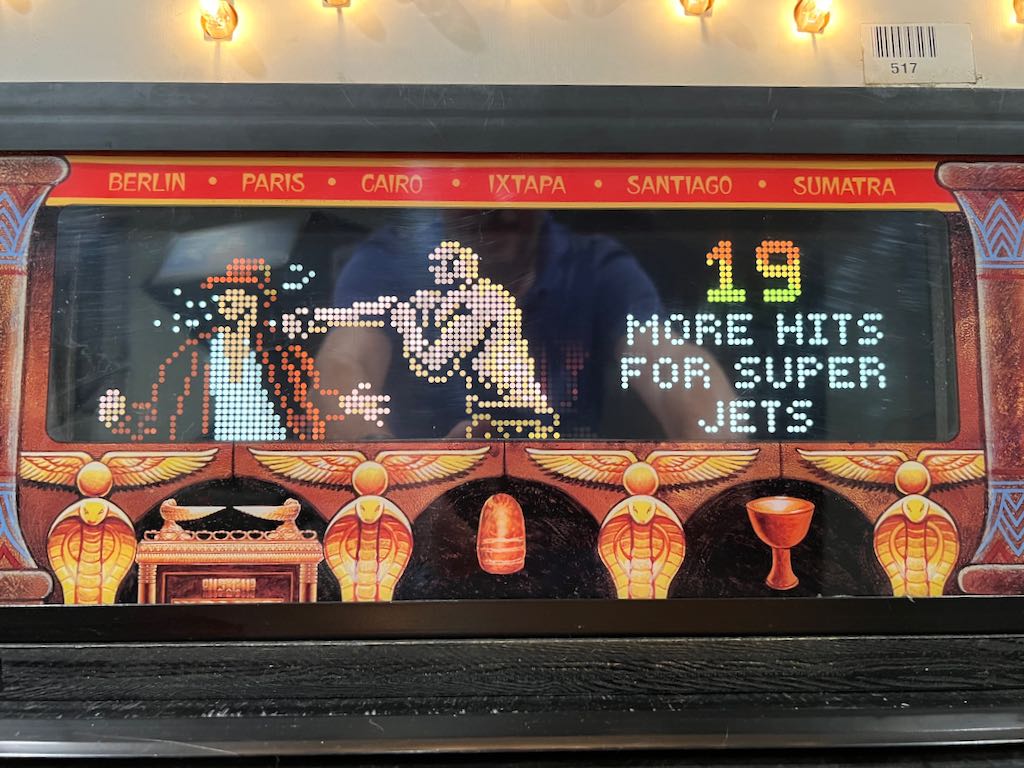
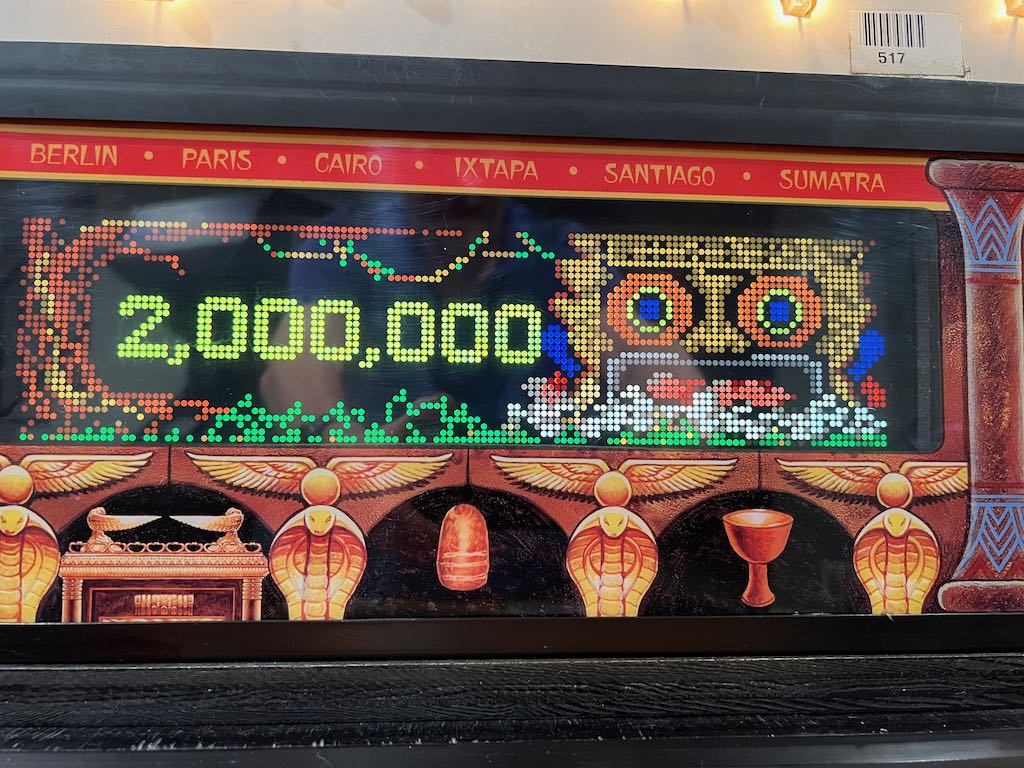
After knowing for years that ColorDMD is perhaps the best modification available for any plasma DMD pinball machine, I finally bit the bullet and purchased a few. It looks great in Indiana Jones the Pinball Adventure. I went with the LCD version. Here are a couple pictures.
Removing the Path of Adventure
April 18, 2022
Indiana Jones has been very solid, requiring only a few tweaks over the years. As you may be available to tell, much of the content on this page was done all the way back in 2004!
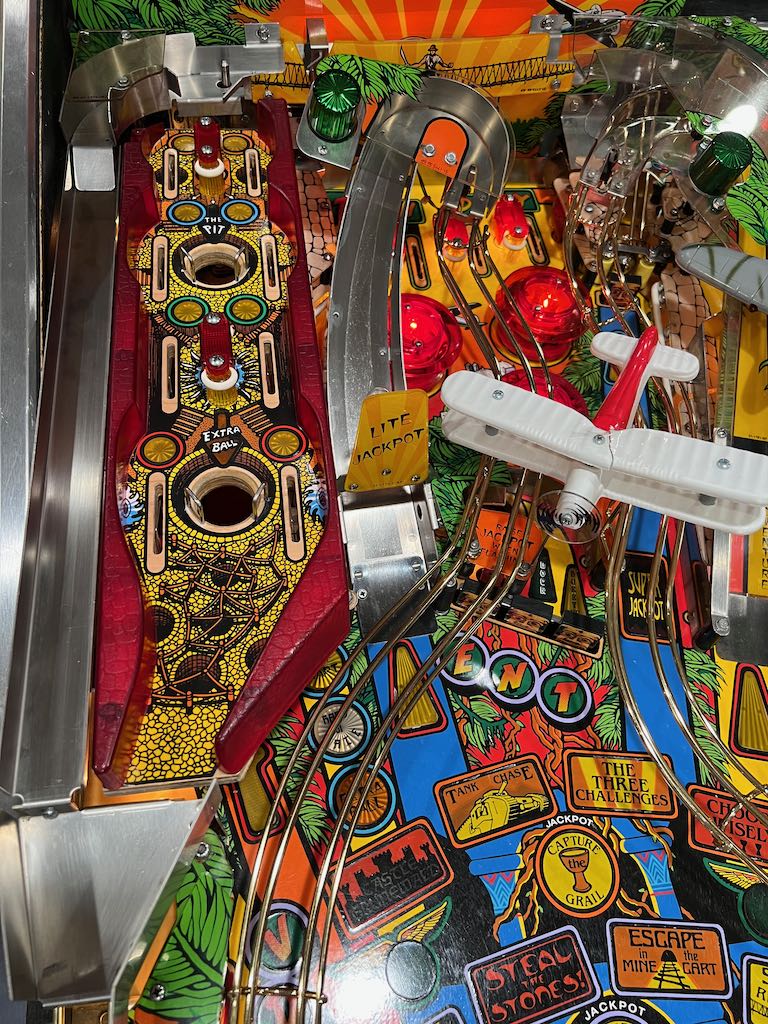
Here's how to remove the Path of Adventure. First, let's start with a a picture of the Indiana Jones Path of Adventure. This is on the upper left of the Indiana Jones playfield.
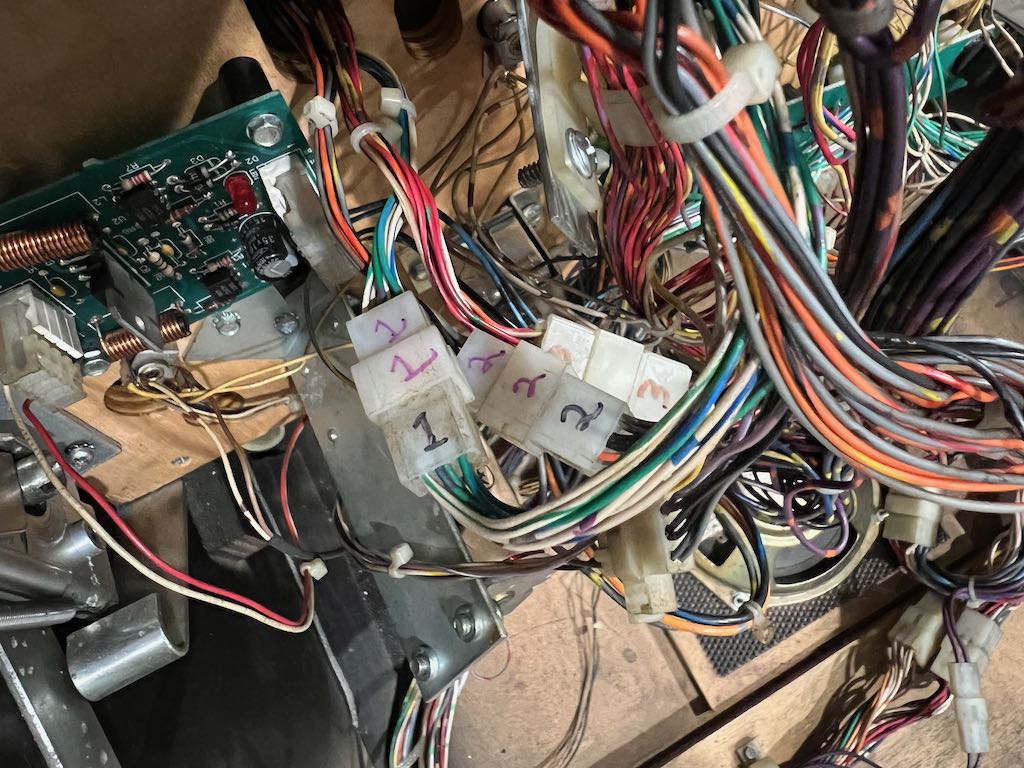
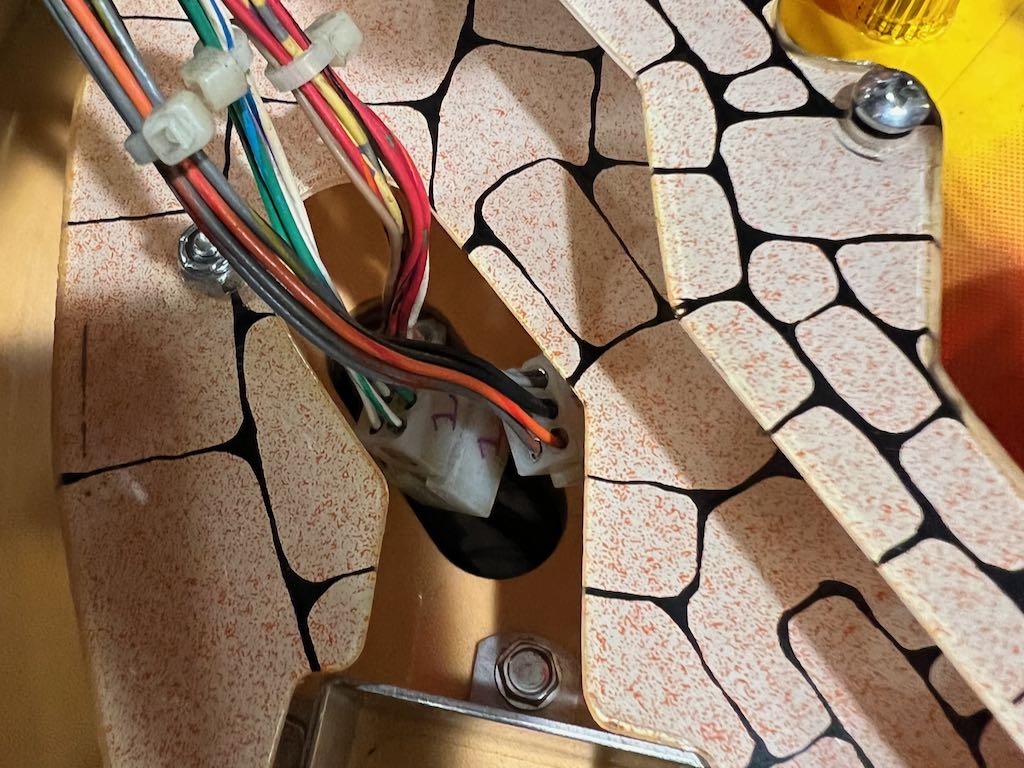
Disconnect the 3 cables that go from the Path of Adventure to the bottom of the playfield. I labeled them 1, 2 and 3. These don't need to be disconnected until the very end, but it's much better to disconnect them now while everything is still screwed together. You don't want to forget this step and then need to lift up the playfield once everything is loose! The picture below only shows 2 of the 3 connectors.
Now the bridge needs to be removed. The bridge is held in place by 3 nuts. Two on the top of the bridge (pictured below) and one on the center bottom of the bridge (not pictured).
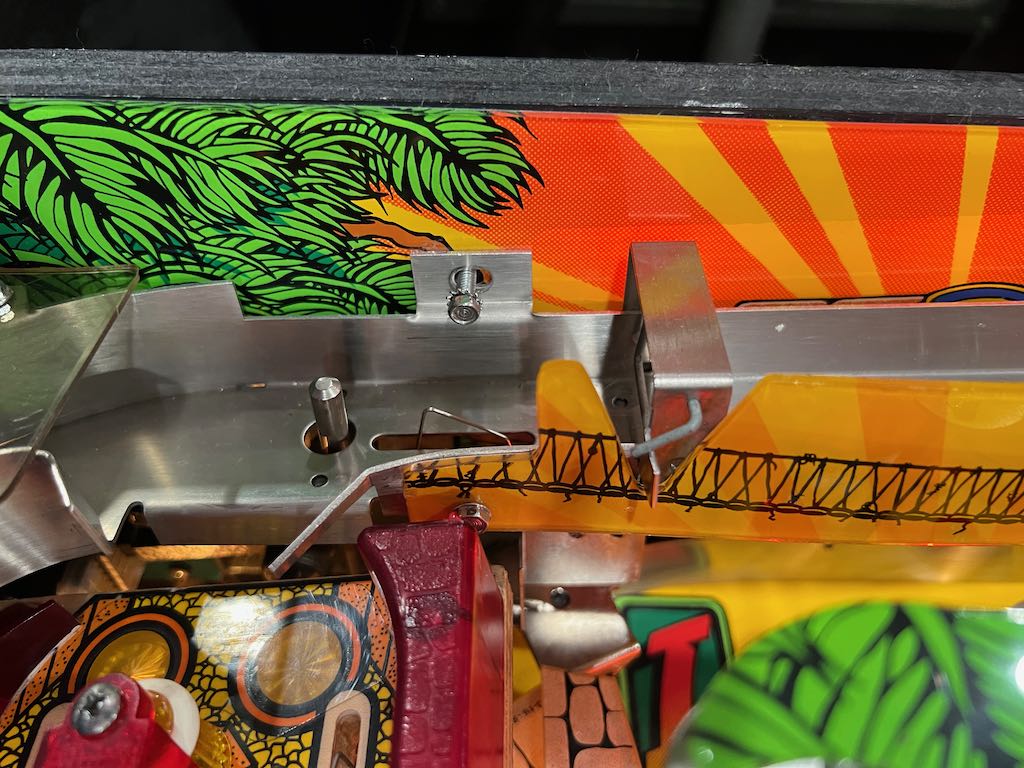
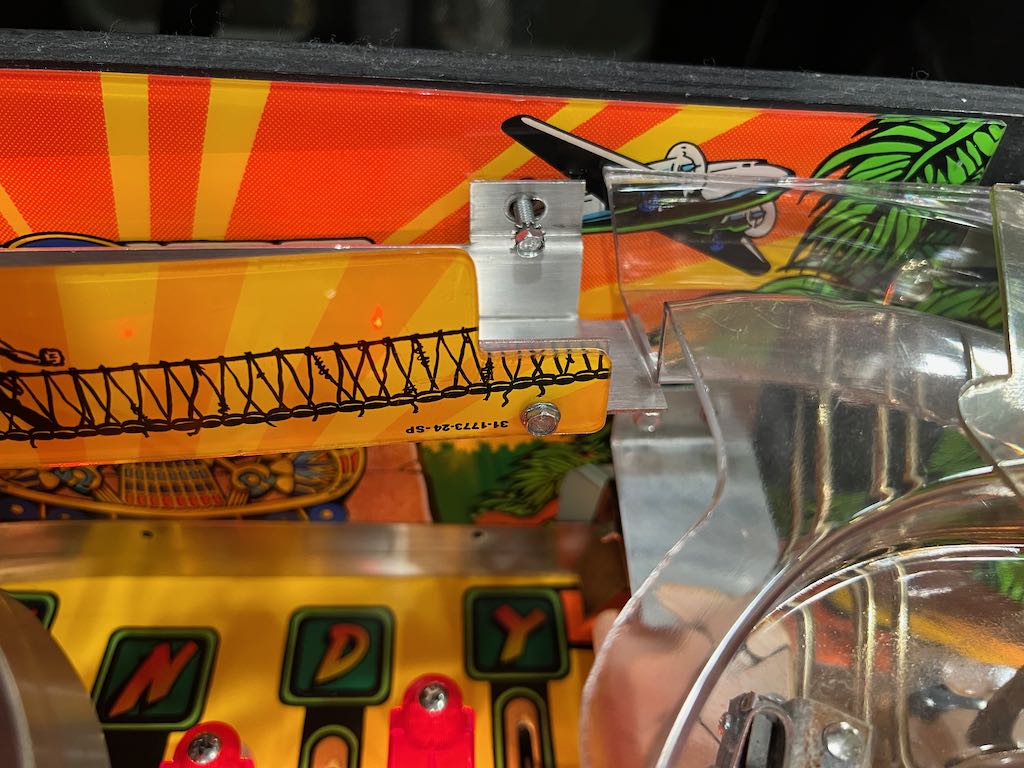
Once the 3 nuts are removed, notice there's a wire from a micro switch on the bridge that goes through the back panel. Behind the back this can be disconnected. The picture below shows the wire going through the back panel.
Next you need to remove the small wireform ramp on the bottom left of the playfield. This is pictured below.
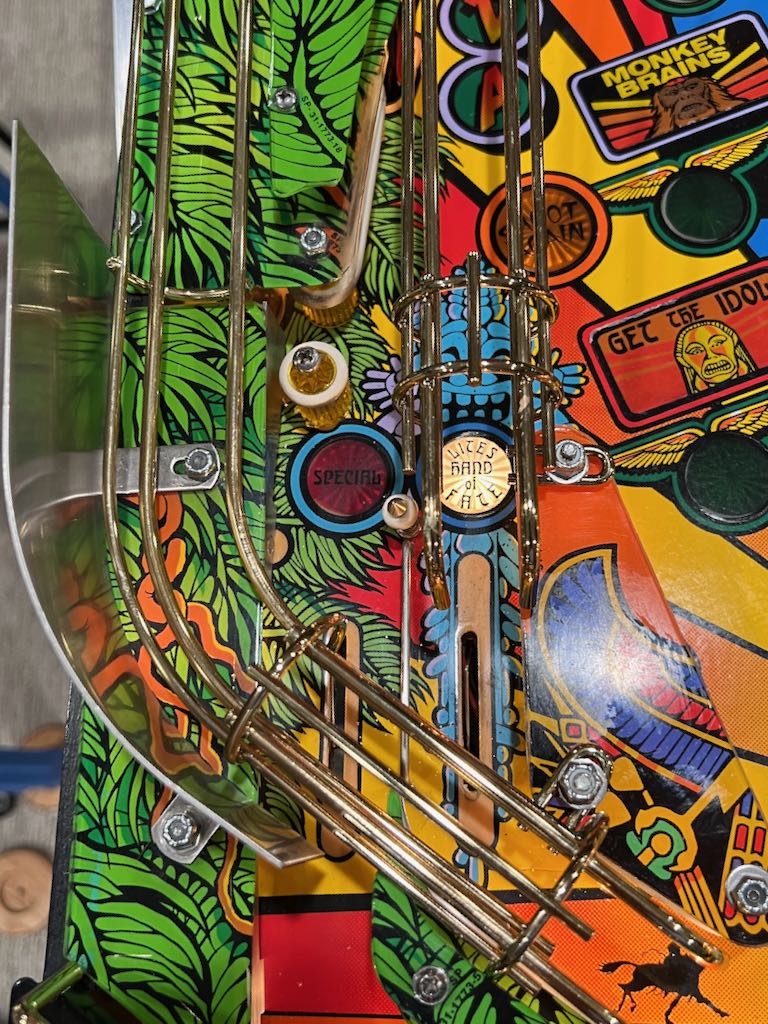
This small habitrail is held in place with a single nut. The nut is on the bottom left of the left sling. This is shown below.
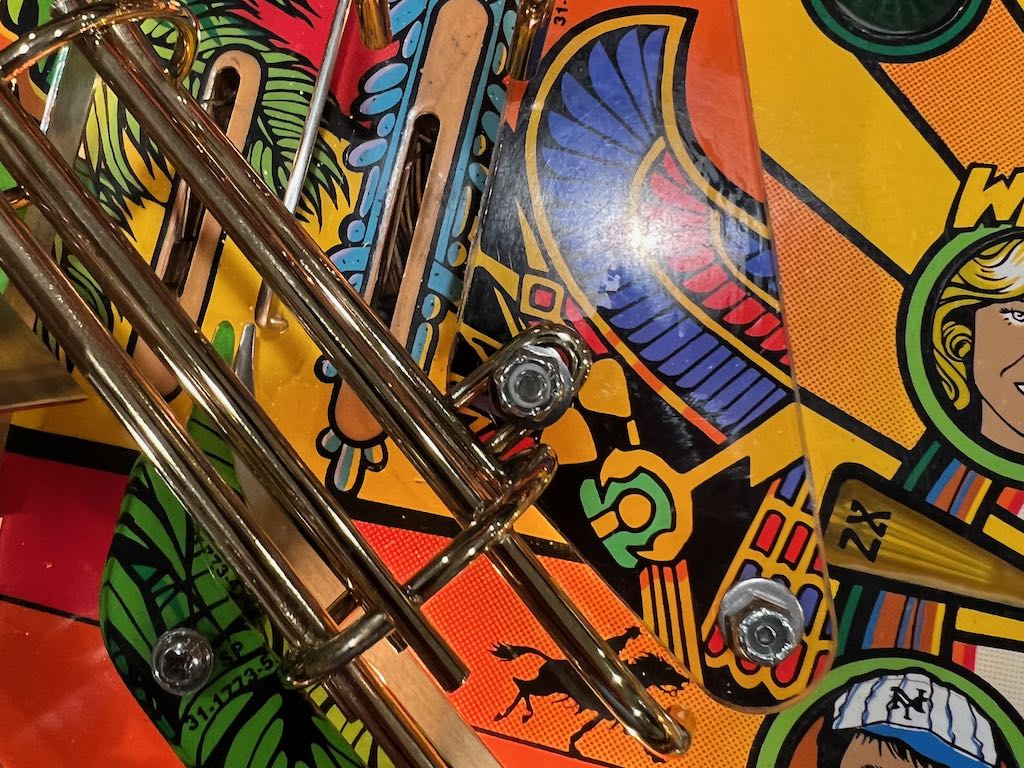
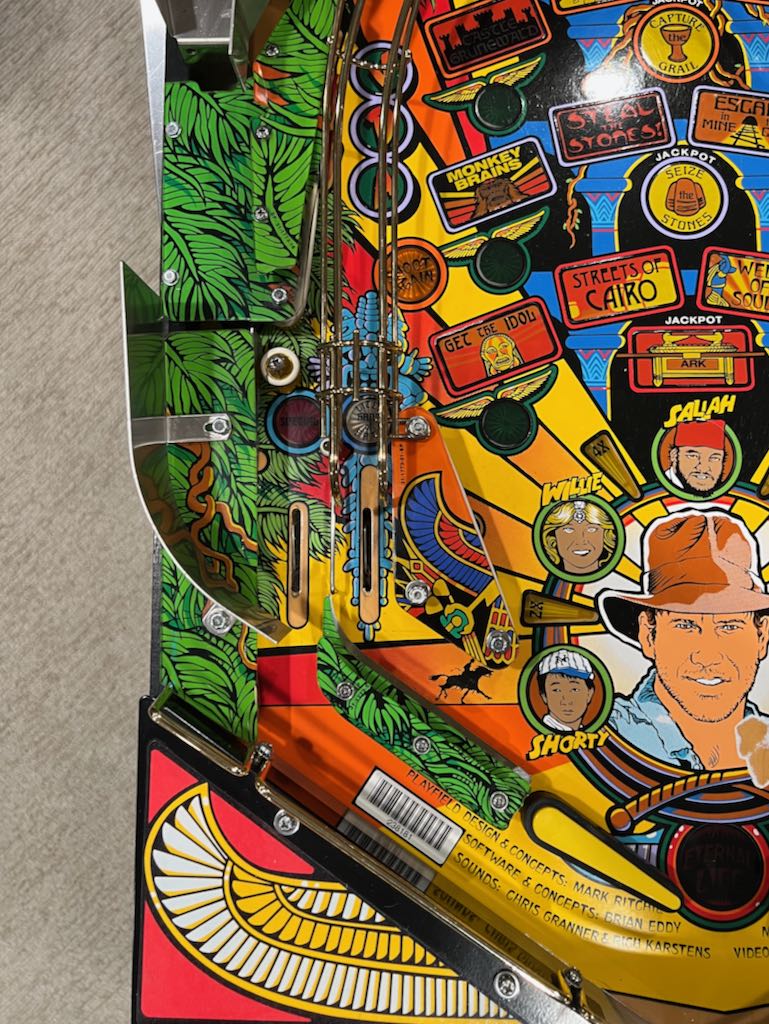
The small wireform has two protrusions that slide into the metal plate just above it. With the nut removed, the small wireform can easily be removed by pulling it toward the front of the playfield. The picture below shows it removed.
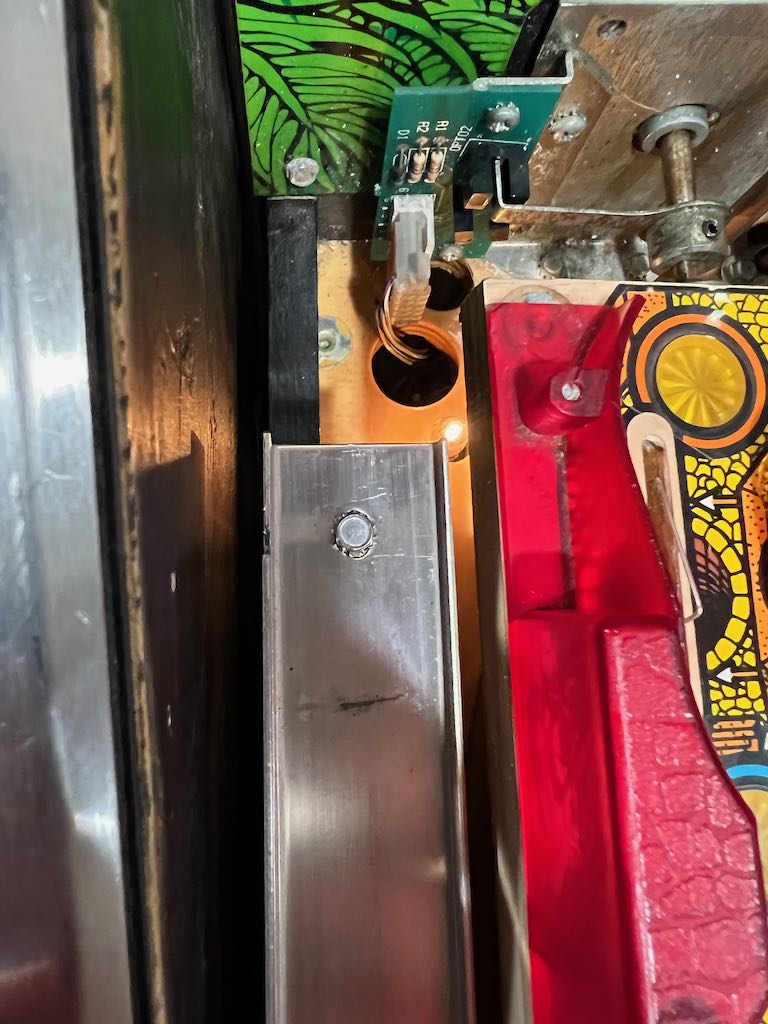
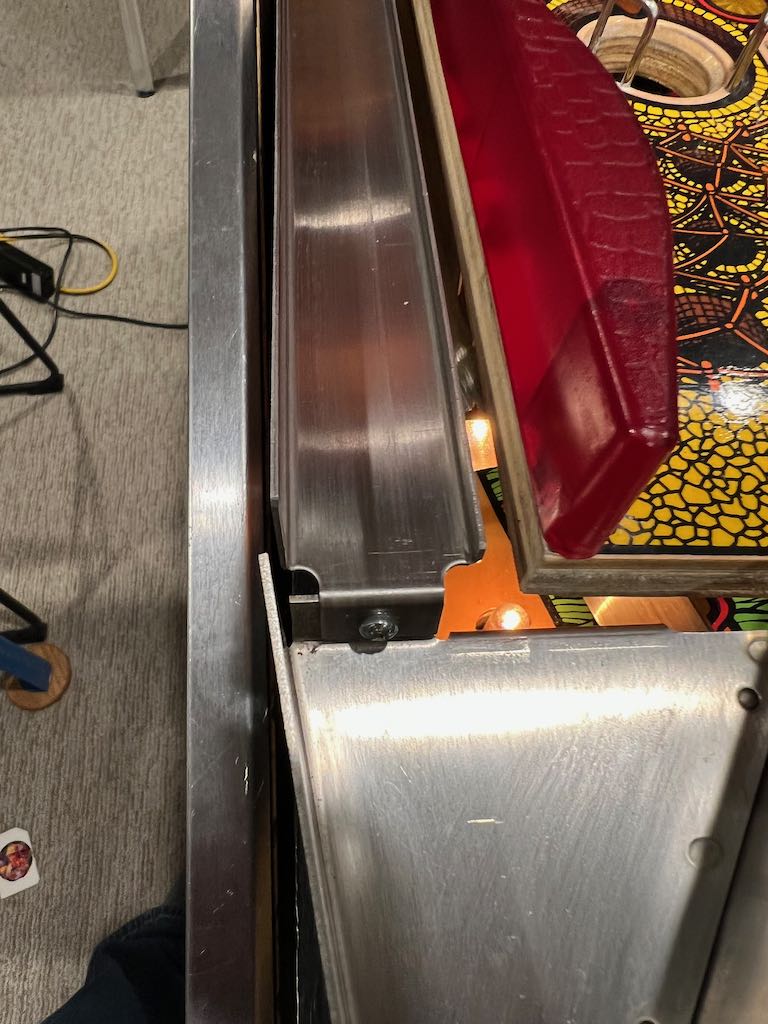
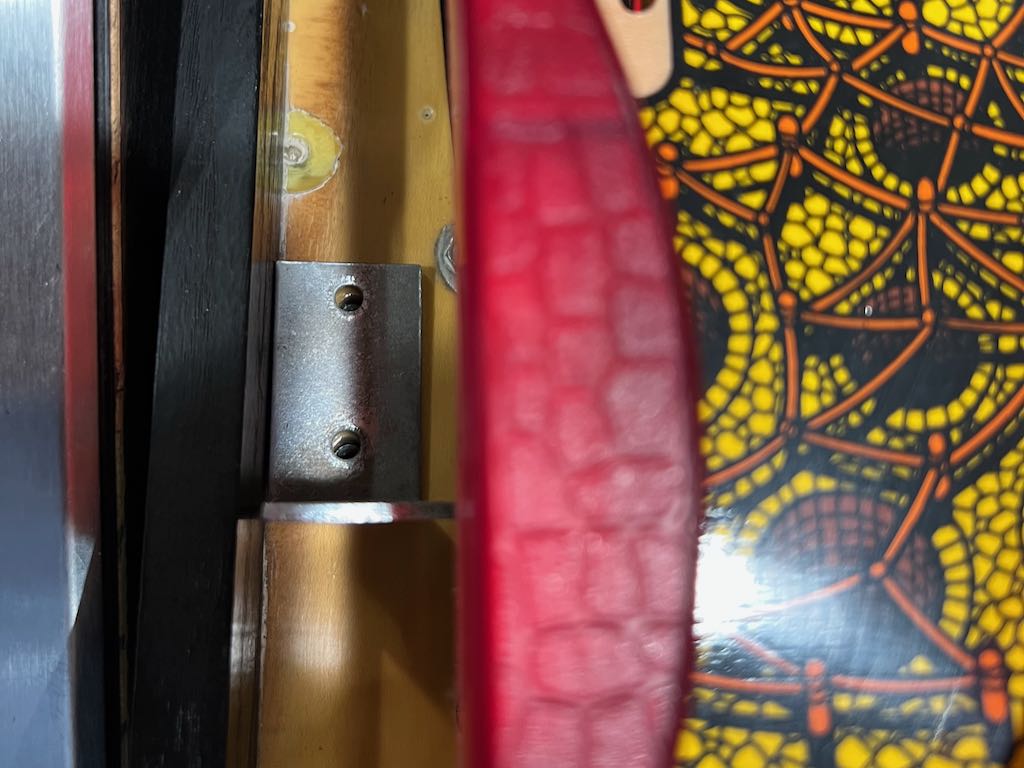
Next up is to remove the metal slide to the left of the Path of Adventure. This is held in place by 1 screw and one nut. The first picture below shows the nut and the second picture shows the screw. Once both are removed, the slide lifts straight out.
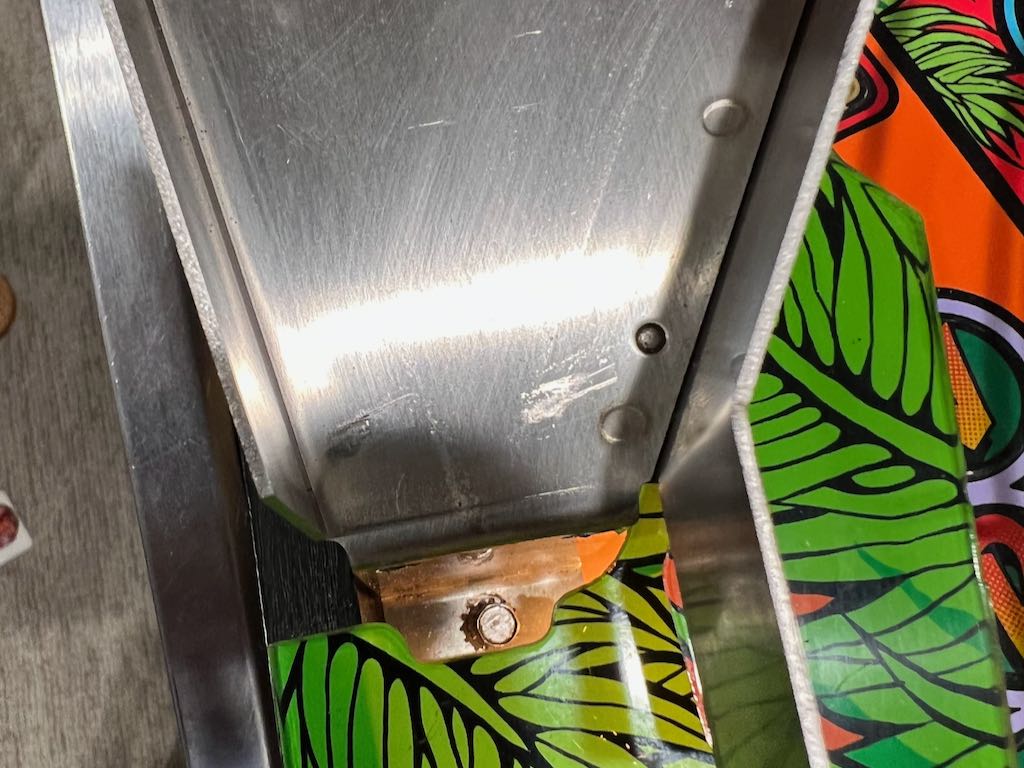
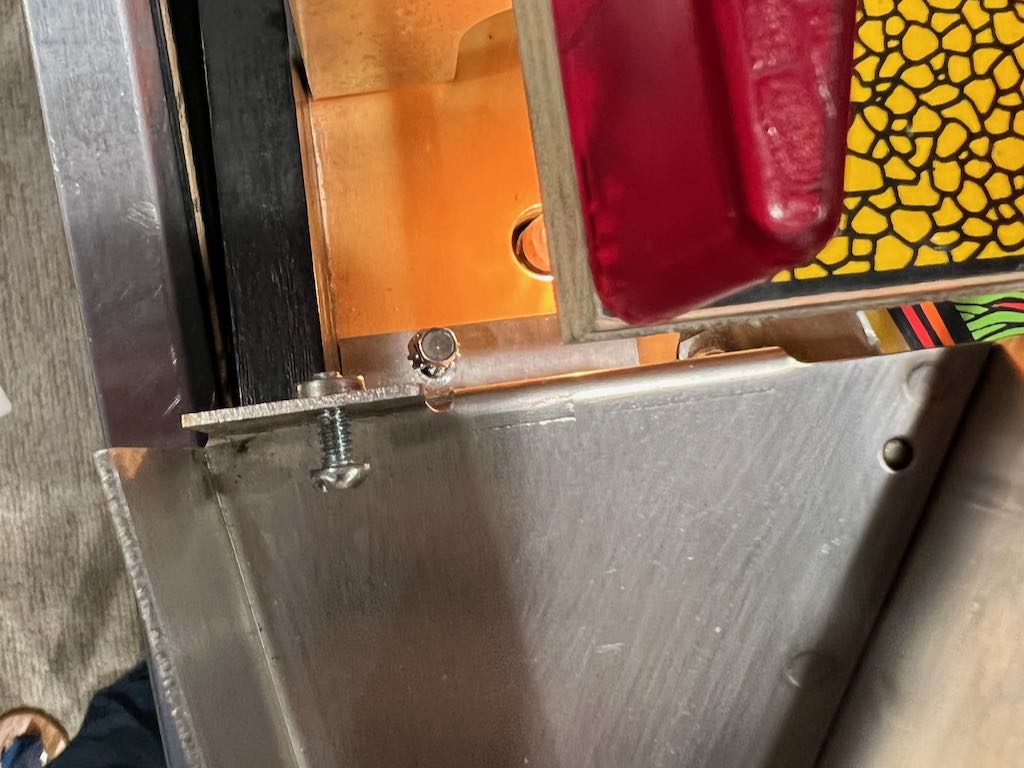
The metal plate just below the slide and the Path of Adventure needs to be removed. It is held in place by 2 nuts. On nut is at the top of the metal plate and the other is at the bottom of the metal plate. Both are pictured below.
Now it's time to start loosening the Path of Adventure mechanism. Start by loosening the set screw that holds the Path of Adventure shaft to the motor rod. There are 2 set screws, the one you need to loosen is the lower one (shown in the picture below). This requires a 5/64 hex key. Loosening this set screw allows the Path of Adventure to be pulled down toward the front of the playfield. But only after the next step is complete.
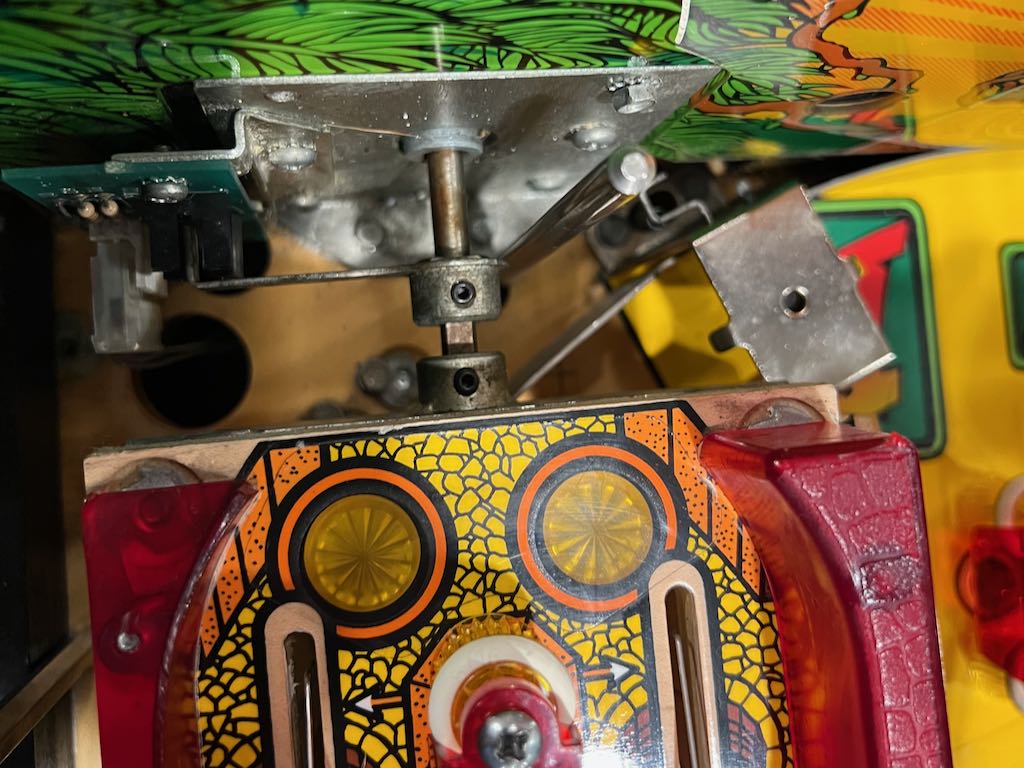
The lower part of the Path of Adventure is held in placed by a support using 2 nuts. Remove these two nuts and the Path of Adventure can be finally be removed of the playfield. This is shown below (with the nuts already removed).
Remember the 3 cables mentioned at the beginning? These will need to be pulled out from below the playfield. Both are pictured below.
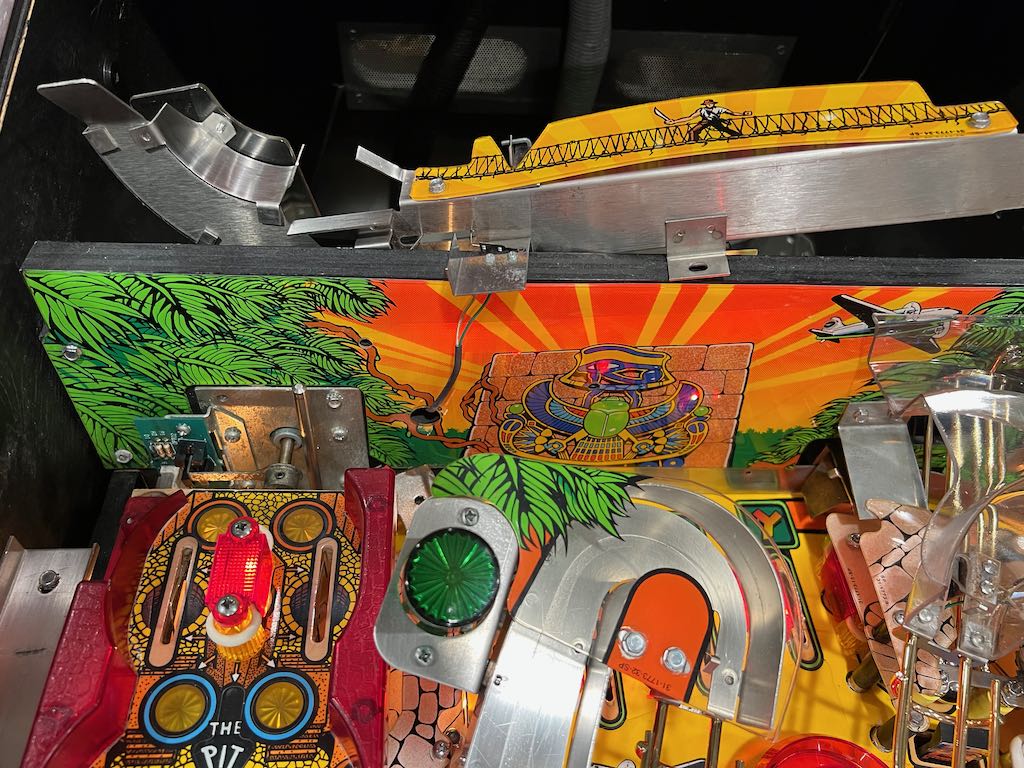
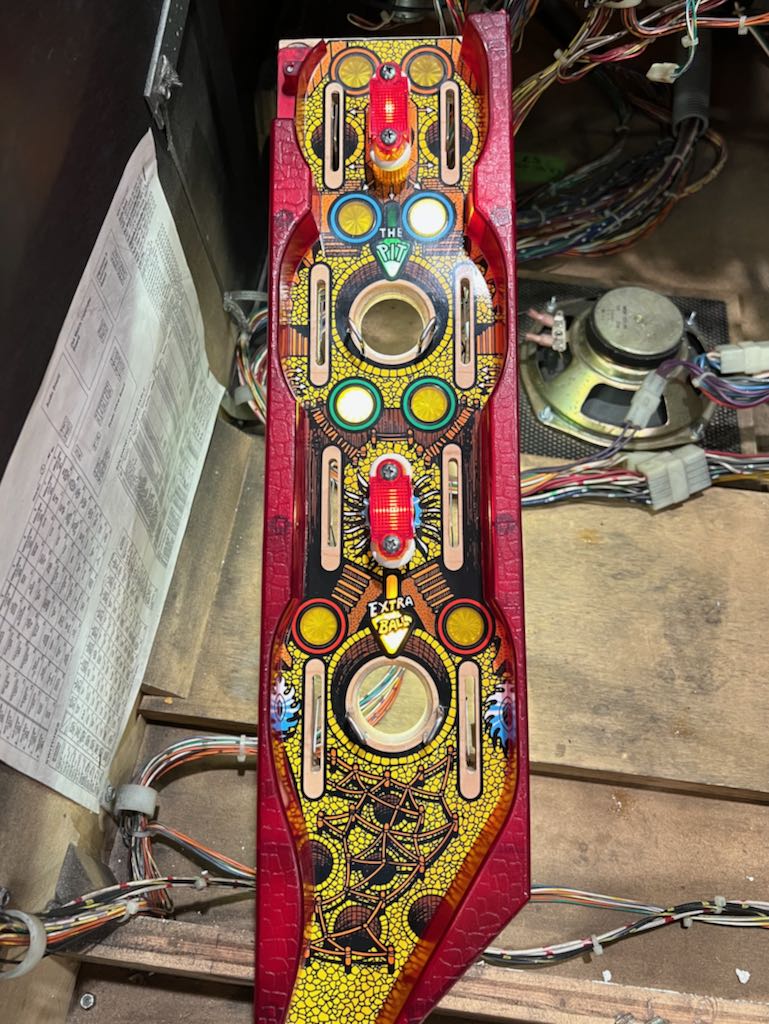
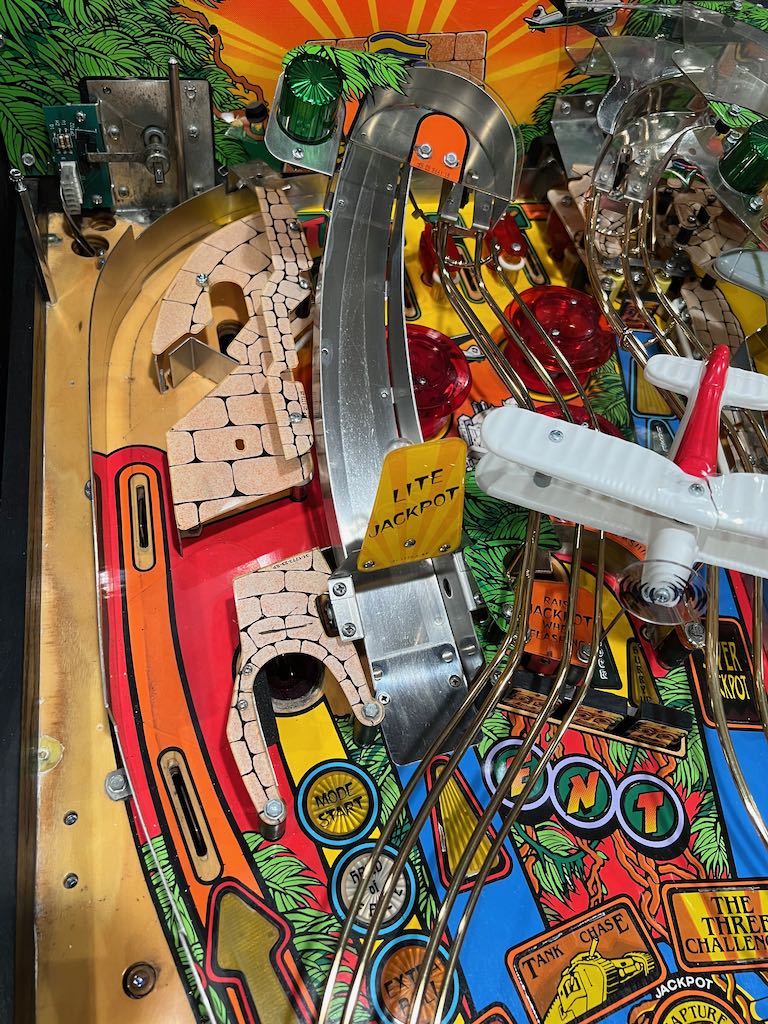
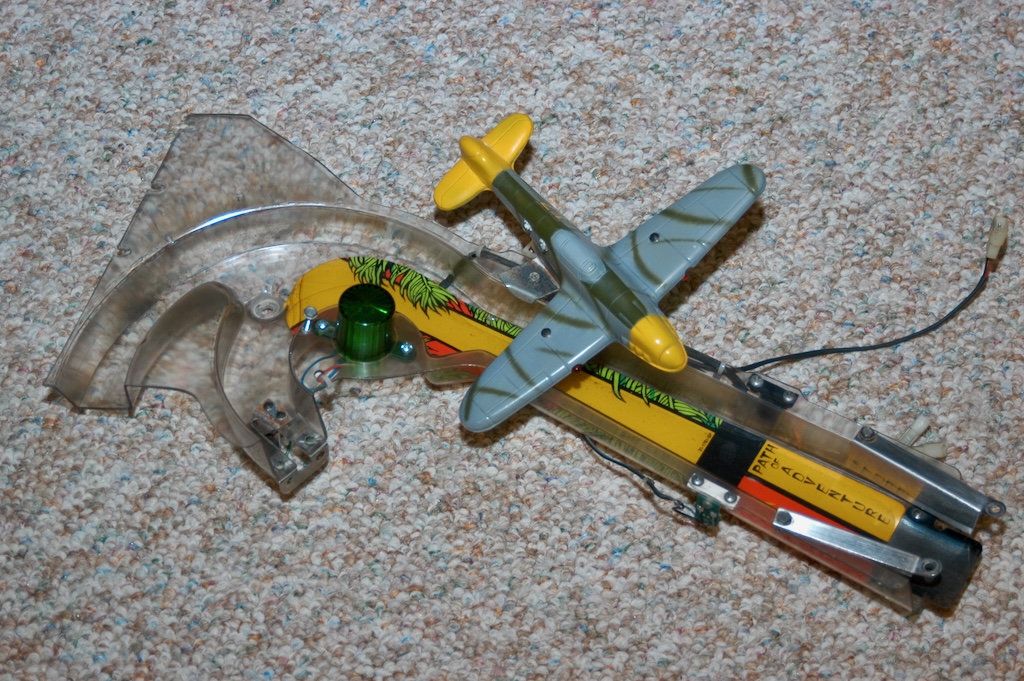
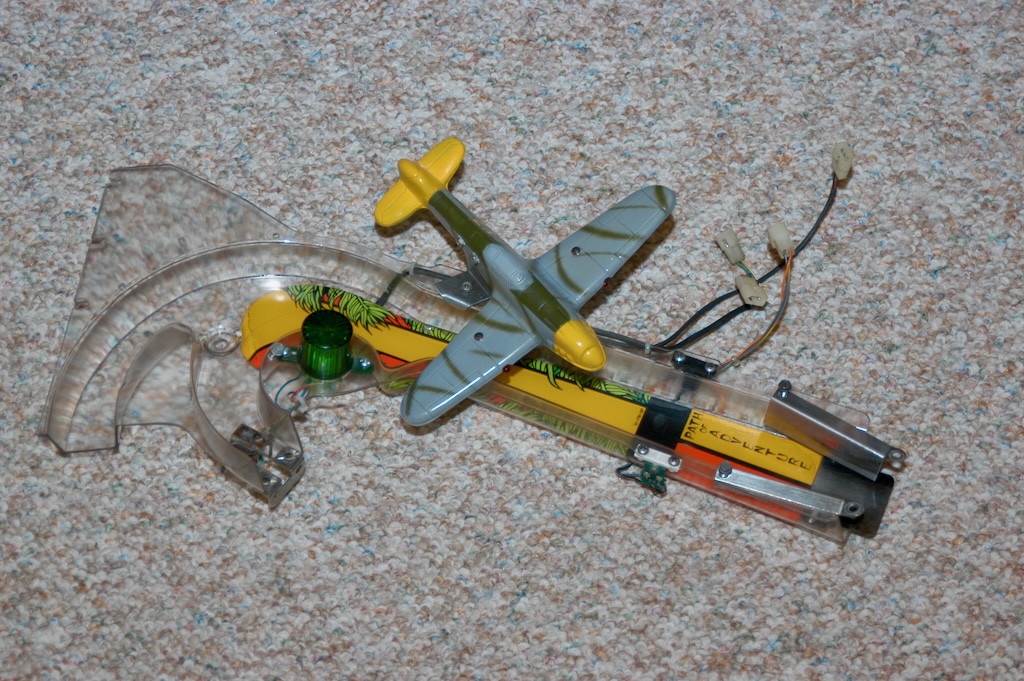
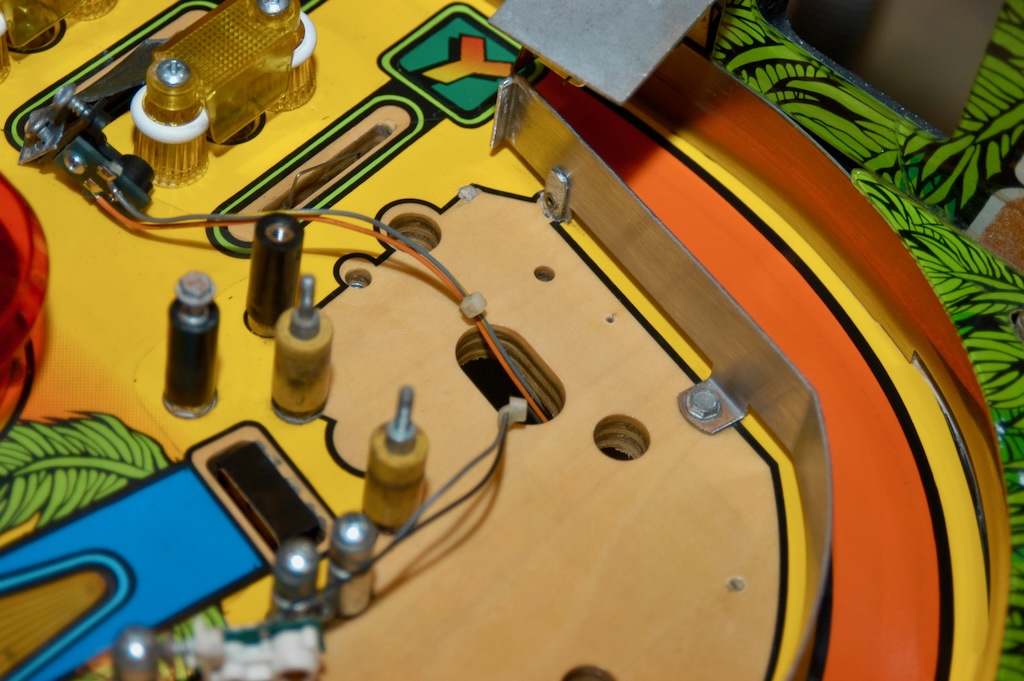
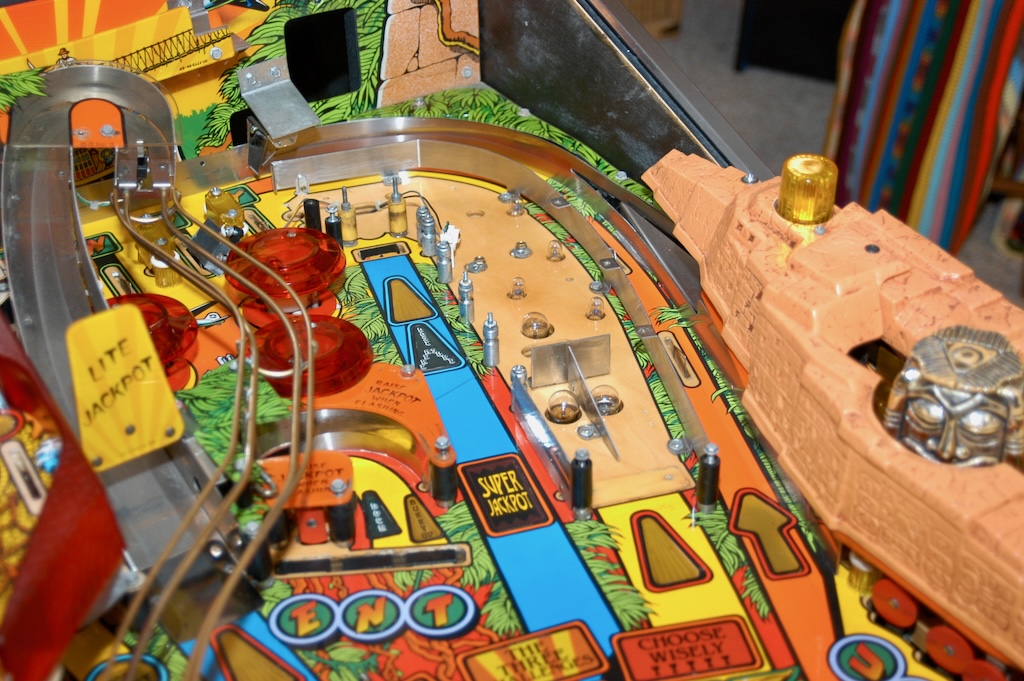
The Path of Adventure should be removed! Below is a picture of the Path of Adventure sitting by itself in the bottom of the cabinet followed by the top playfield without the Path of Adventure
Did you ever shop Indiana Jones?
As mentioned earlier, IJ was my first pin. It was exceptionally dirty. For my experience level at the time (which was none), I did a great job "shopping" it. I cleaned and replaced everything I could get at. This included rubbers, star posts, etc. However, I was afraid to take off either of the ramps or do other cleaning that required significant part removal.
I did a mini shop in April of 2008. I removed the right ramp and worked on the upper right portion of the playfield. The following 2 pictures show how grubby it was under the right ramp.
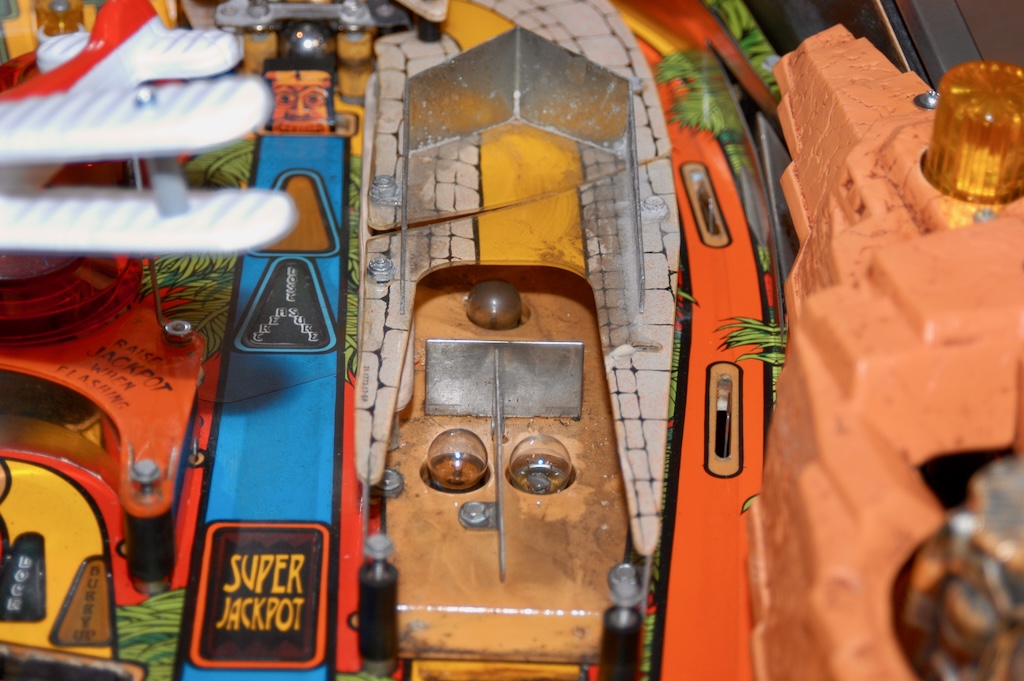
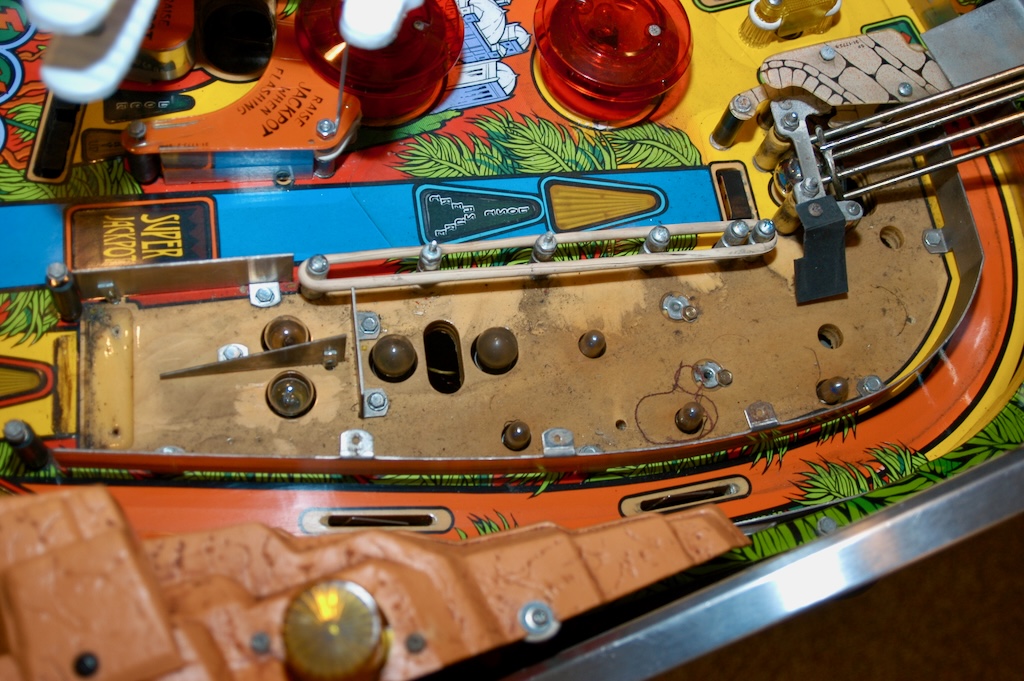
As can be seen by the following picture, the captive ball rubbers were in pretty sad shape. I expect they had not been replaced in a long time (if ever).
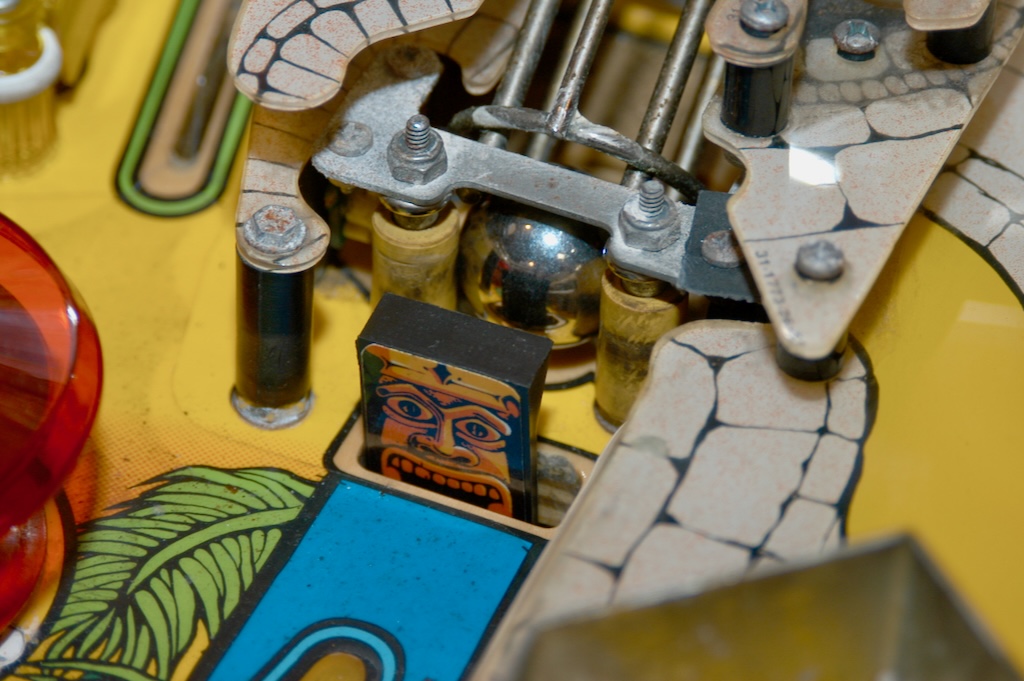
Before and after pictures of the right ramp are shown below. I was really surprised how dirty it was. This was especially true for the area below the decal. The "before" picture doesn't do a very good job of showing the dirt. Now that it's clean, it lights up much brighter.
Finally, here are two pictures that show the playfield cleaned up quite a bit.
But did you ever really shop Indiana Jones?
In March of 2009 I decided to really clean up IJ. I spent about 4 weeks working on it. I purchased a "vibratory tumbler" and sent off to clean the pin. Here is what I did...
-
Removed everything from the top playfield
-
Polished and regrained all metal (removed ball marks, etc.)
-
Use tumbler on all parts that would fit (screws, posts, some metal parts, pinballs, etc.)
-
Scrubbed down and polished the playfield
-
Replaced the nasty wire ramps with ones that were newly brass plated
I have not made the jump to doing any clear coating, but I spent a lot of time cleaning the playfield. Lots of magic eraser, Novus #2, a little Novus #3. It made a huge difference! The sections below contain additional info.
Rebuilding the back right of the playfield
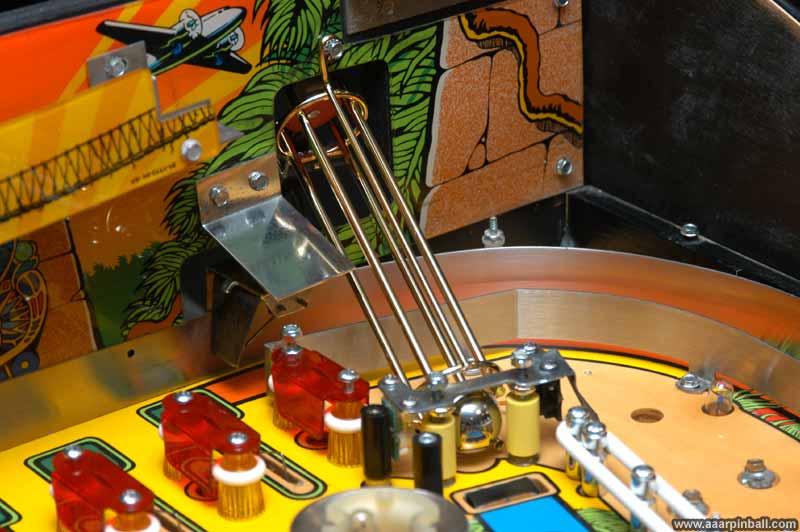
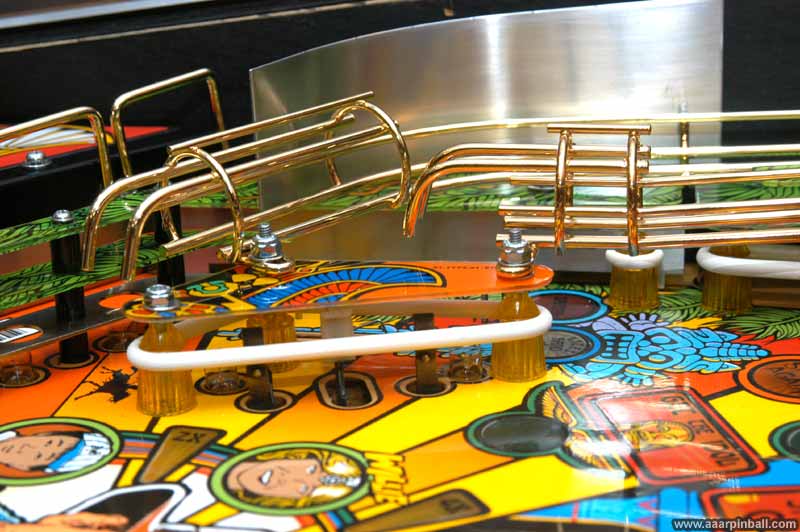
This first picture below shows the newly installed brass plated captive ball wire form. All the wire ramps look better in person, but they still look great in the picture.
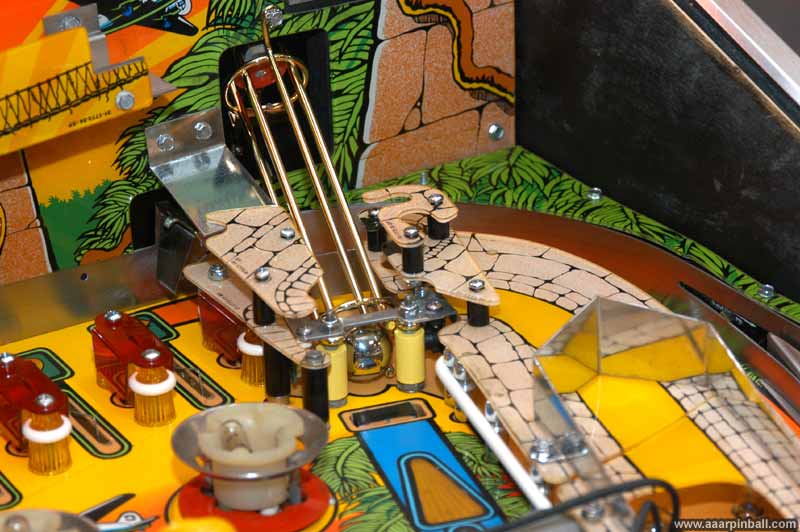
Below is a picture with the plastics added and the (now shiny!) metal piece that supports the right ramp.
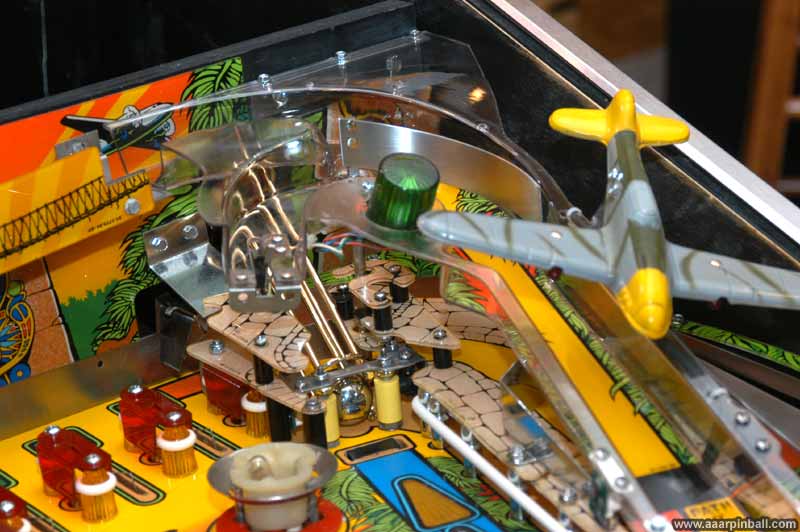
Finally, the plastic ramp is added. After practicing on an old FunHouse ramp, I performed flame polishing on this IJ ramp. It turned out great! I was amazed at how clear it became. Note that I realized after I took this picture (and several others) that the airplane was installed tilting in the wrong direction. This was later corrected.
Rebuilding the back left of the playfield
This first picture below shows the posts, rubbers and plastics have been installed.

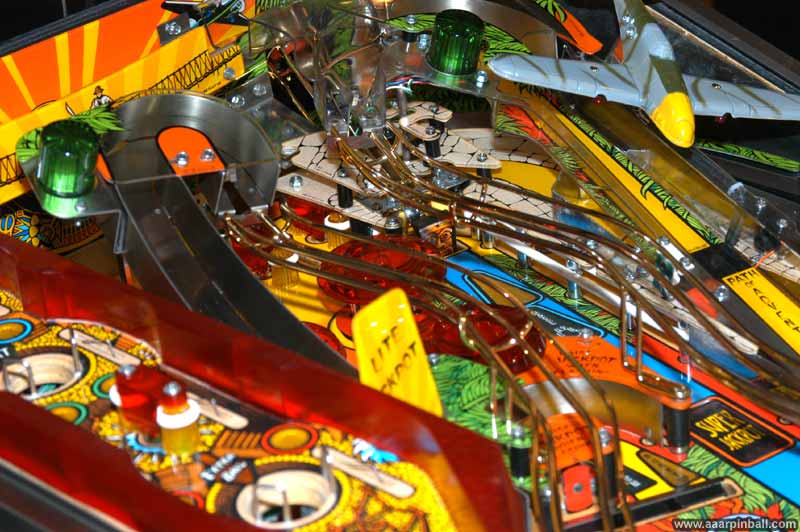
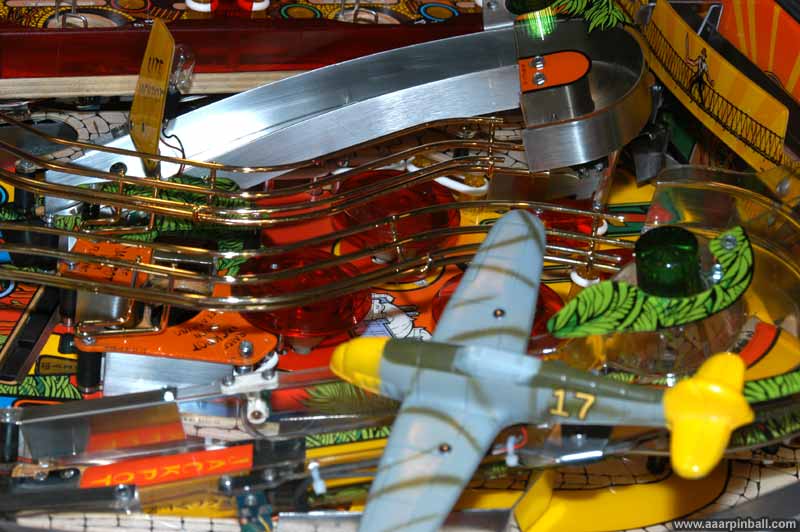
The next picture shows the Path of Adventure has been connected. For some reason I also added the bi-plane at this time. I spent some time ensuring the PoA was "balanced" correctly. Prior to this, it would tilt more in one direction than the other. If I recall correctly, it now tilts about 11 degrees in both directions.
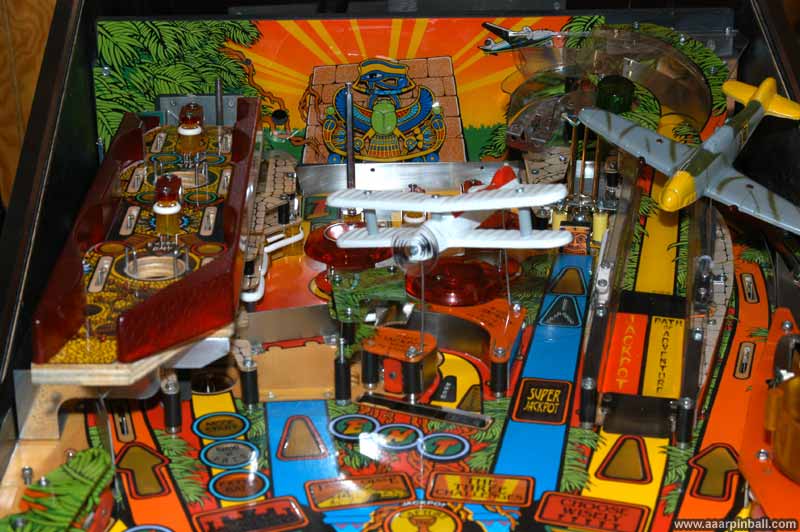
Below is another angle showing the same stage as above.
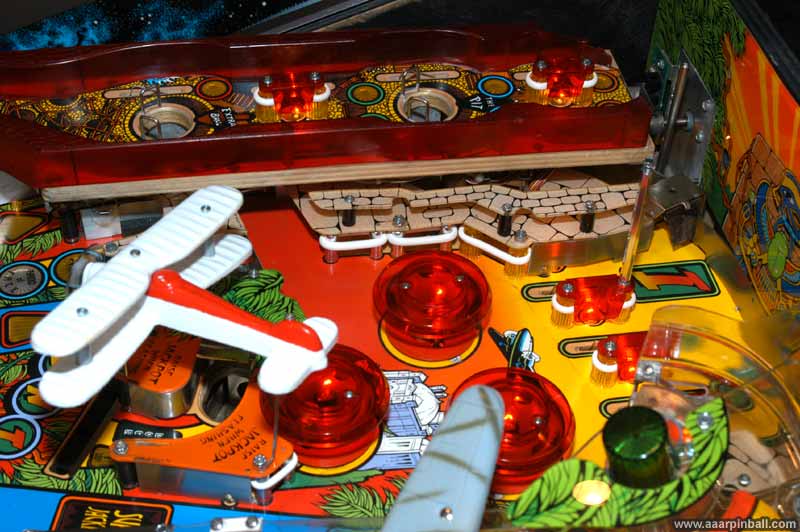
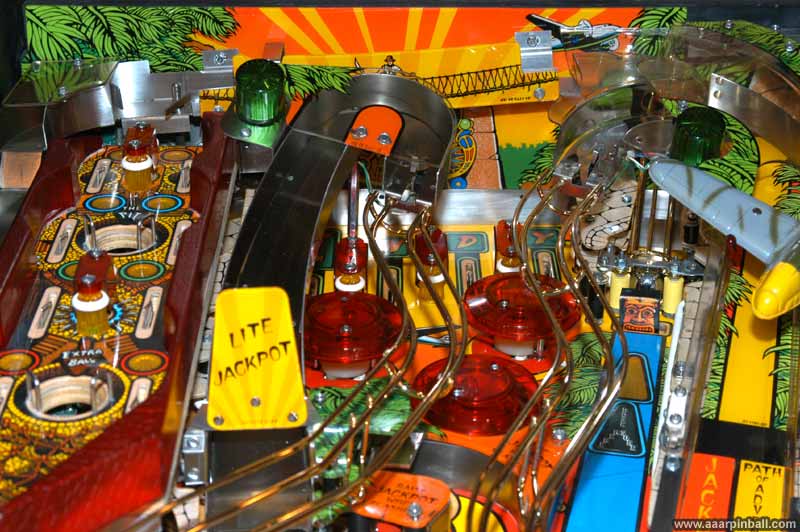
Now the back left is all together. This picture below shows the slide to the left of the PoA, the bridge behind the PoA, and the left metal ramp have been installed. Looks nice!
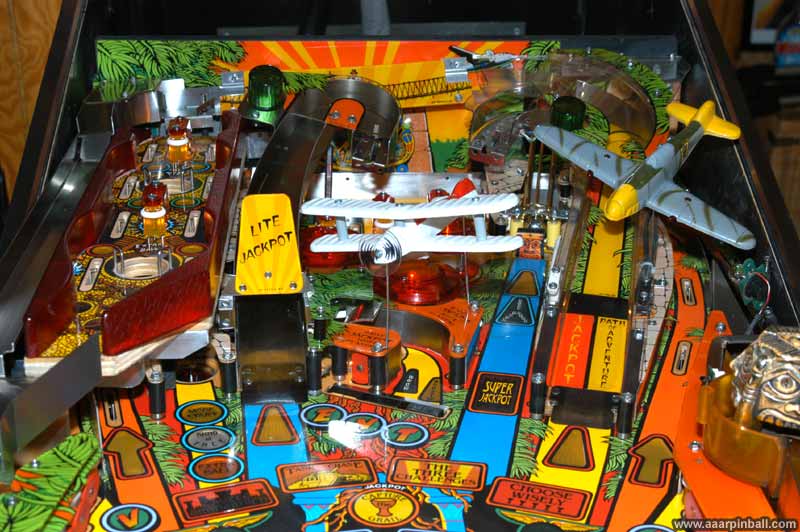
Other pictures showing the cleaned up playfield
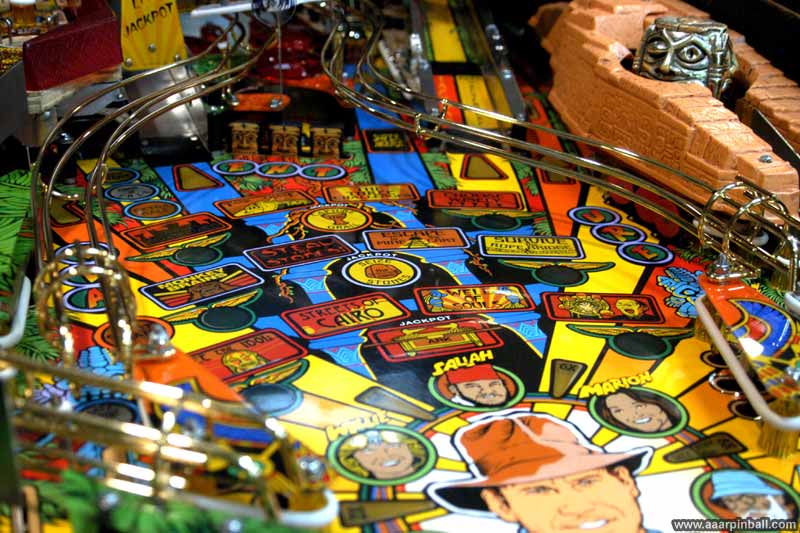
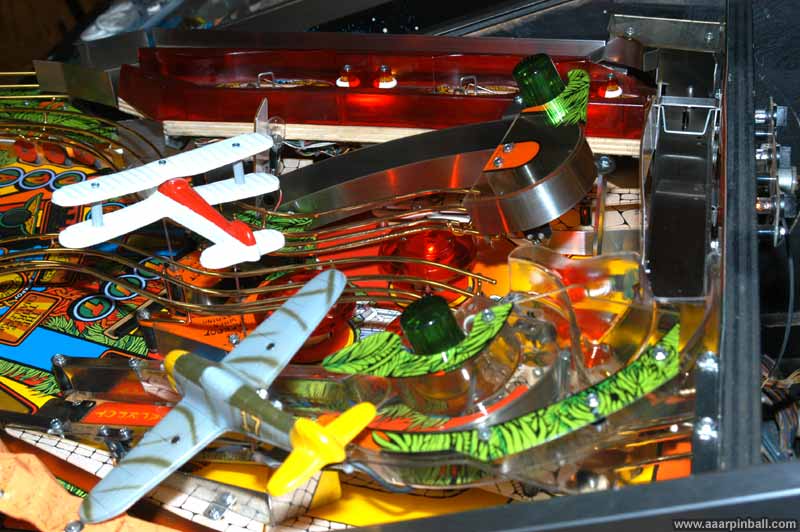
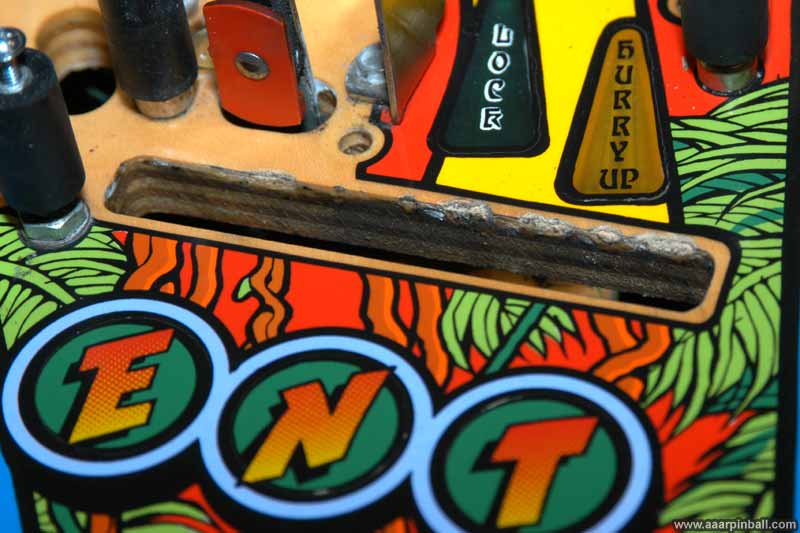
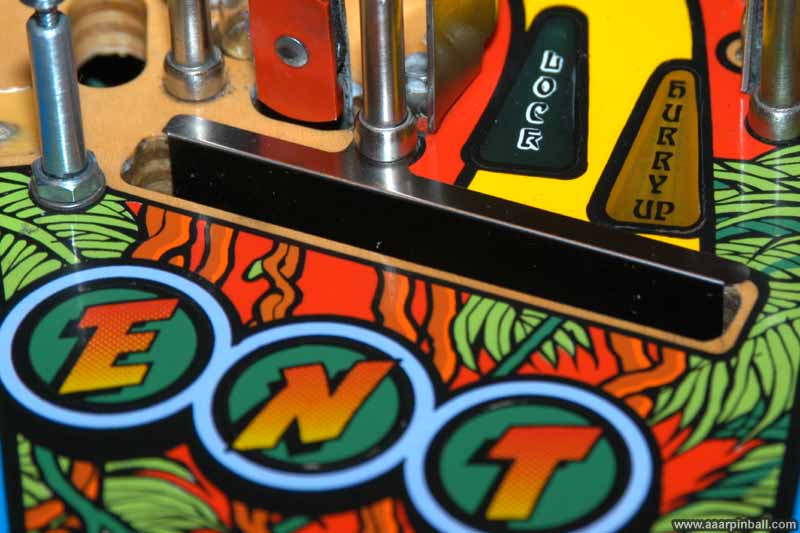
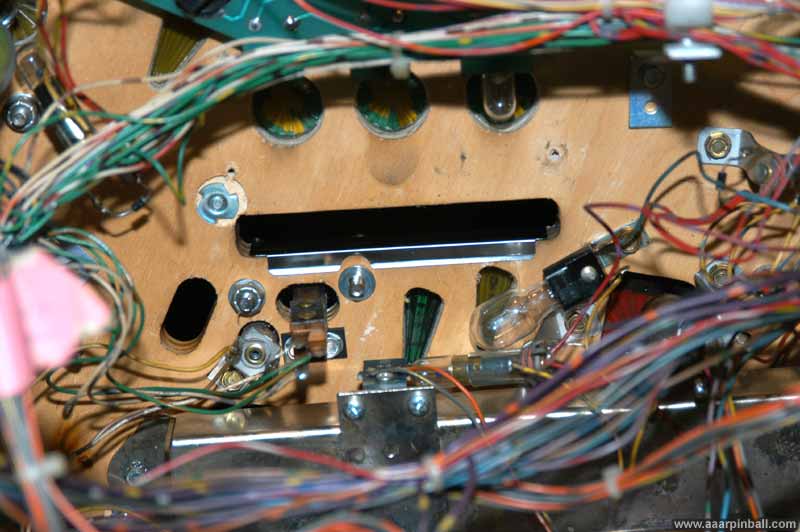
Cliffy protector for the 3 drop targets was installed
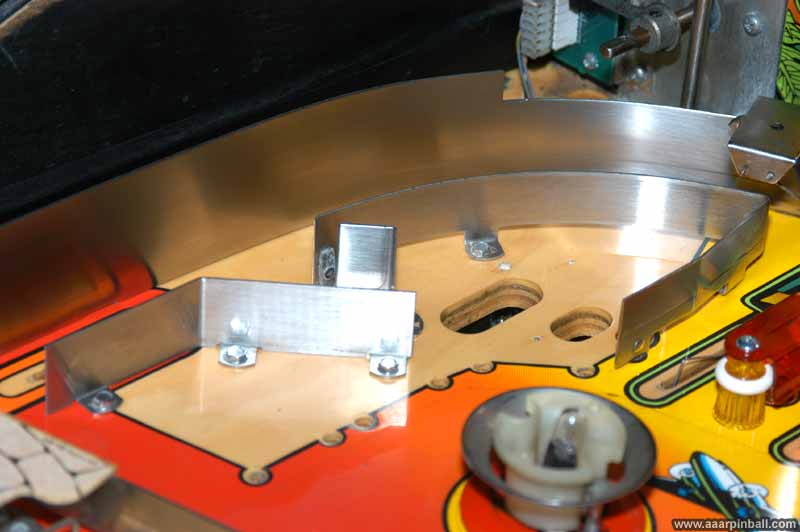
I purchased this protector a year or two ago and had forgotten about it. While looking for some parts in my part drawer, I remembered that I had it and installed it. Here is what the top playfield near the 3 drop targets looked like before the Cliffy protector. It is followed by a picture of the top playfield with the Cliffy protector installed and then a picture of the bottom side of the playfield with the protector.
Grubby Spots
A few grubby places were found. I had worked on various parts of this pin before, so only the parts that had never been touched were really grubby. Below are two pictures that show the crud that lives below the metal dividers by the apron. The first shows the dirt, the second shows it cleaned up.
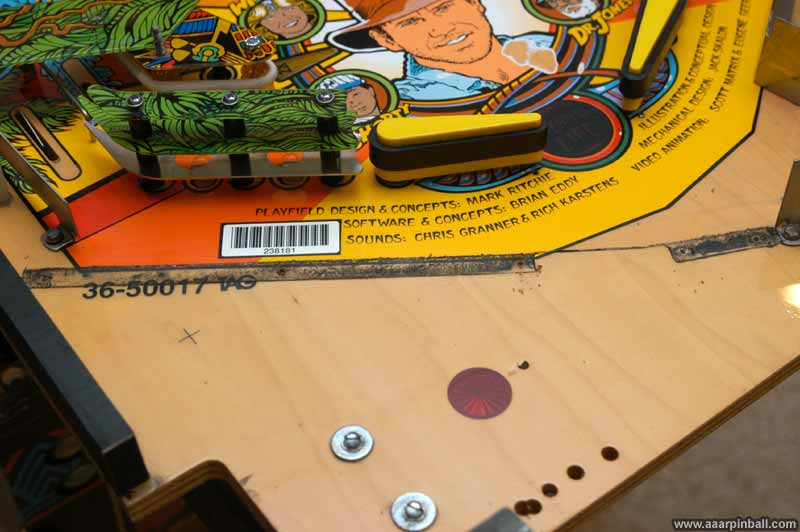
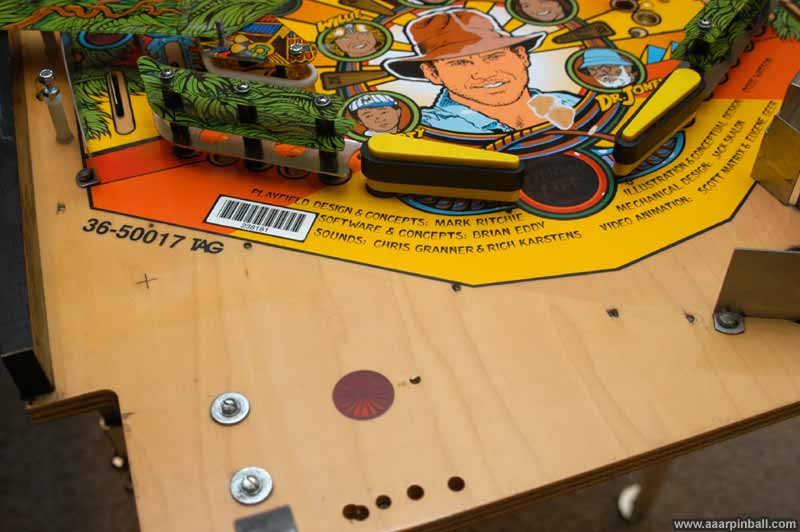
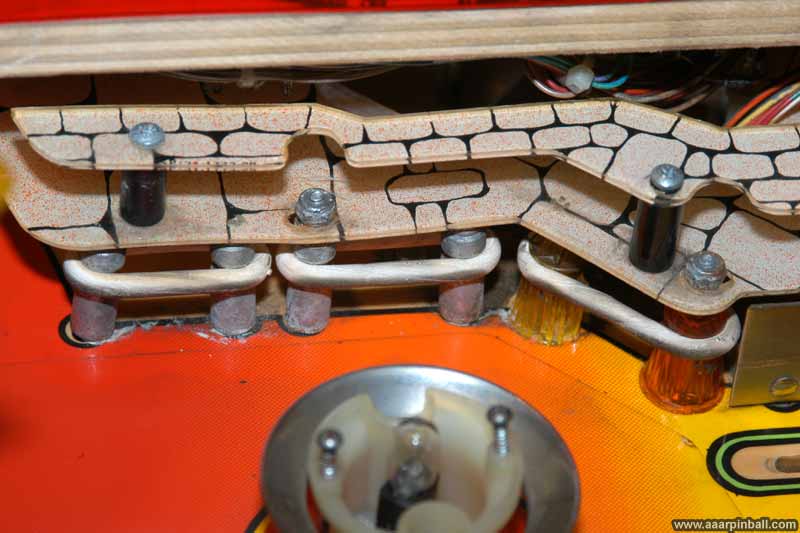
The area below the Path of Adventure was pretty nasty. The metal posts looked terrible and the rubbers were in bad shape. The picture below shows what it looked like.
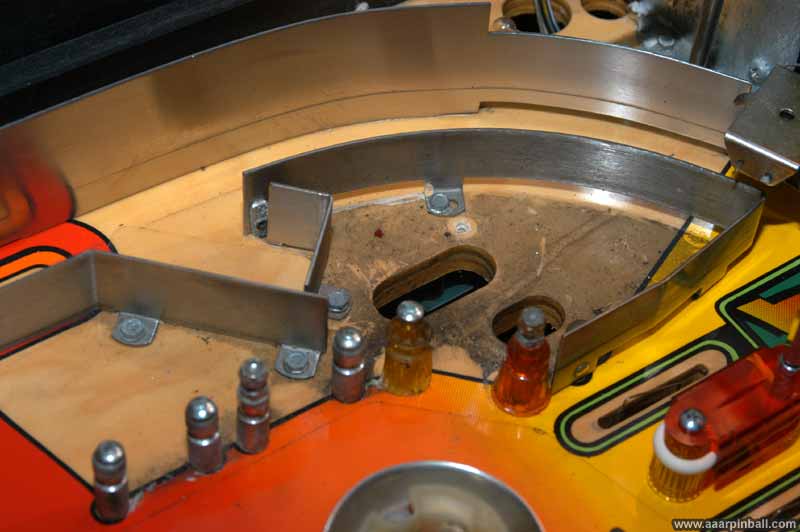
This is the same area with the plastics removed. You can see that the playfield below the plastic had not been cleaned in ages.
Below shows that it cleaned up nicely!
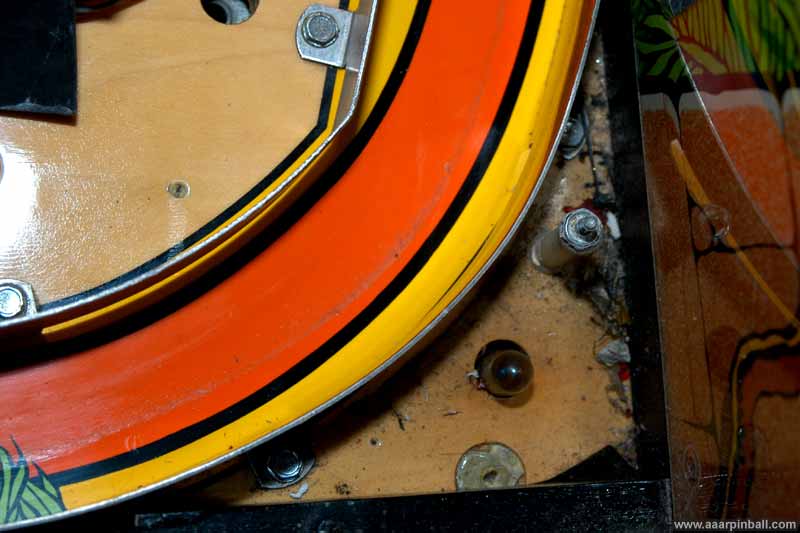
Here is a grubby back corner. I didn't take a picture of this cleaned up. Sorry.
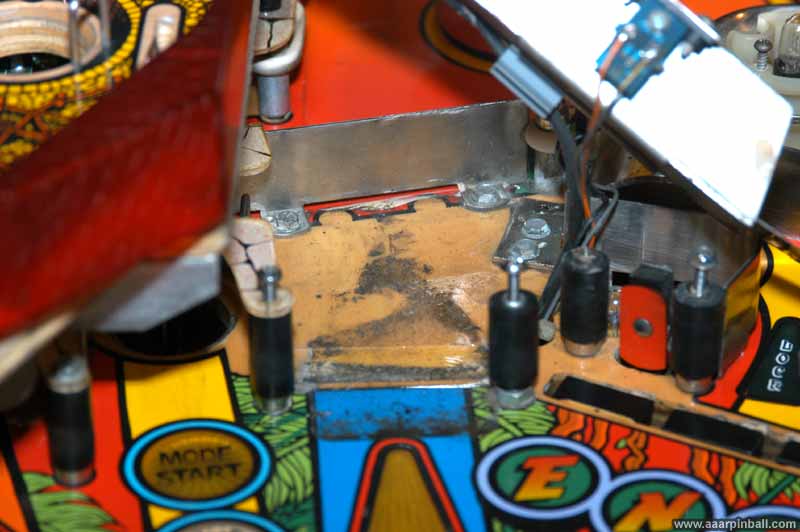
This shows some dirt underneath the left metal ramp. I didn't take a picture showing this cleaned up either.
Idol Pictures
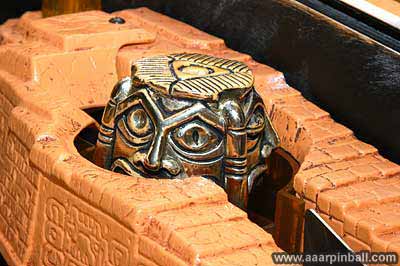
The idol has three faces and is surprisingly thick and heavy. The following three pictures show the individual faces. One face has both eyes closed, one face has an eye open and an eye closed, and the third face has both eyes open. As you can see, my IJ idol has not been restored.
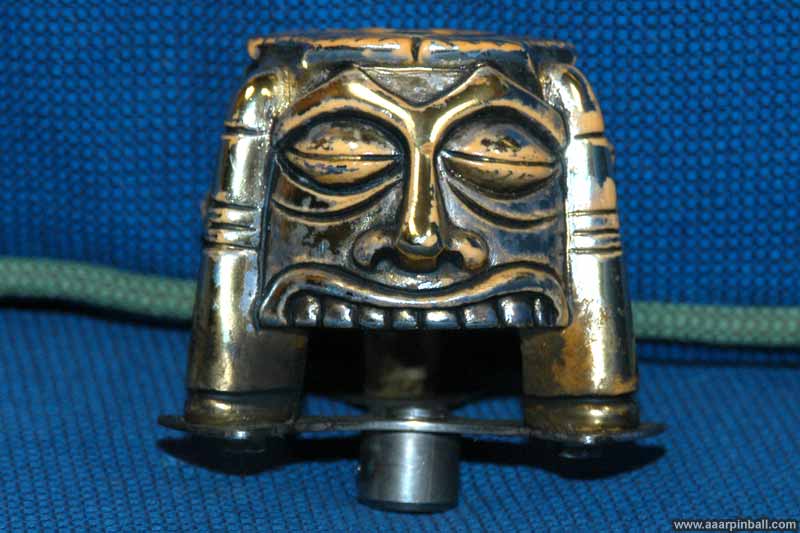
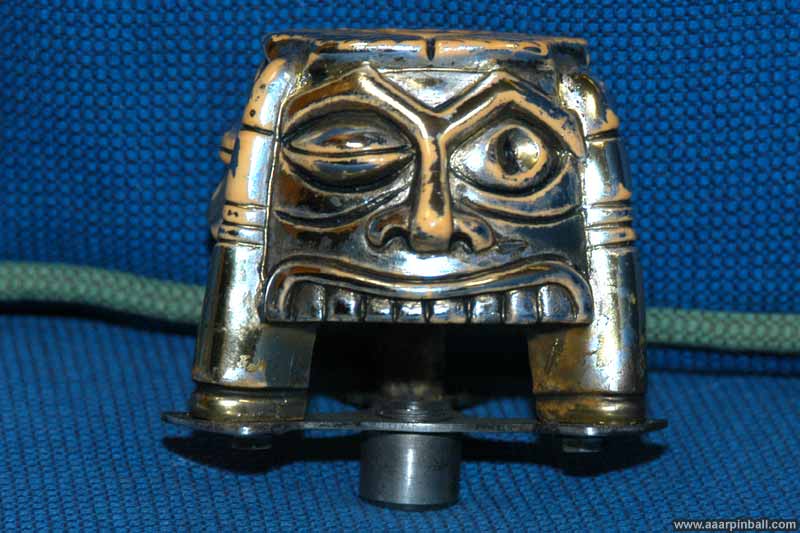
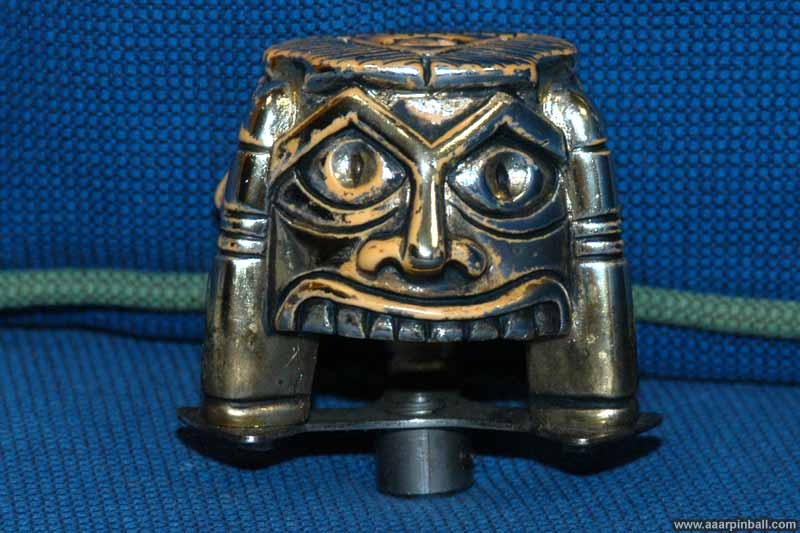
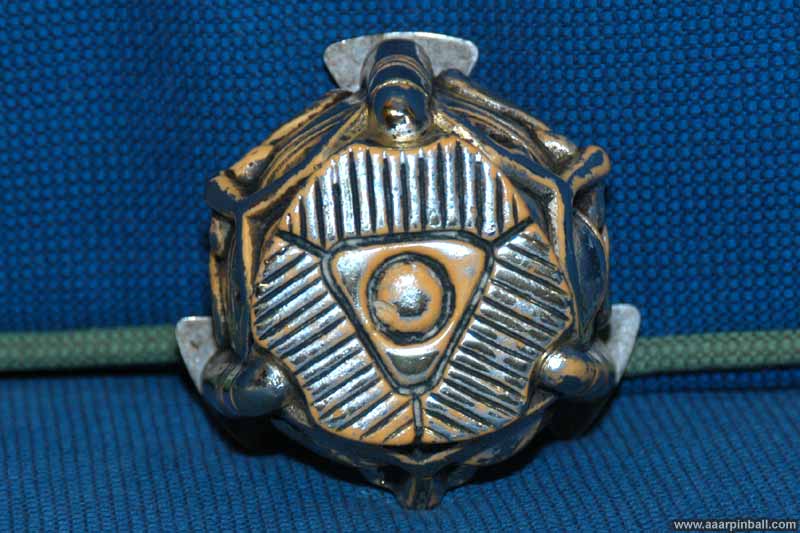
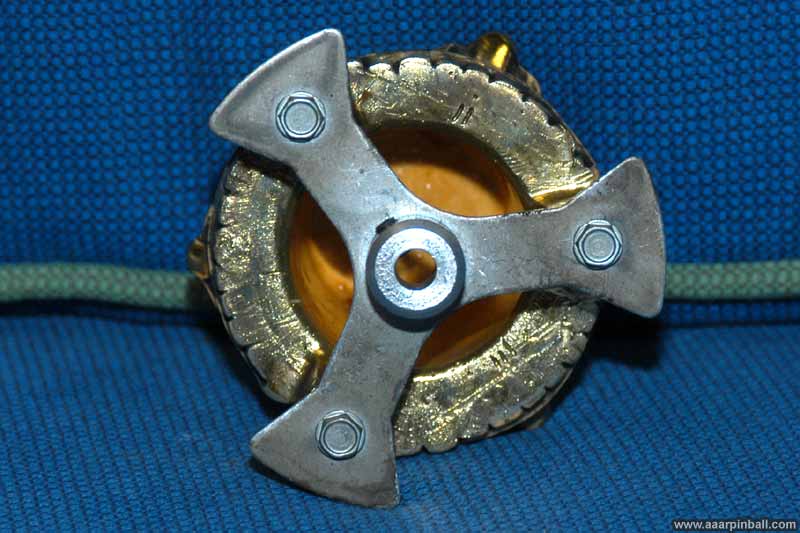
Below is a picture of the top of the idol followed by a picture of the idol from the bottom. The second picture shows how thick the idol's walls are. If you look closely, you can see some markings from the original mold using roman numerals apparently marking each of the faces.
Other idol pictures?
Below is a picture from the right side of the playfield that shows an angle you cannot see unless the playfield is raised from the cabinet. It's followed by a more traditional picture of the idol (with the ruins plastic removed).
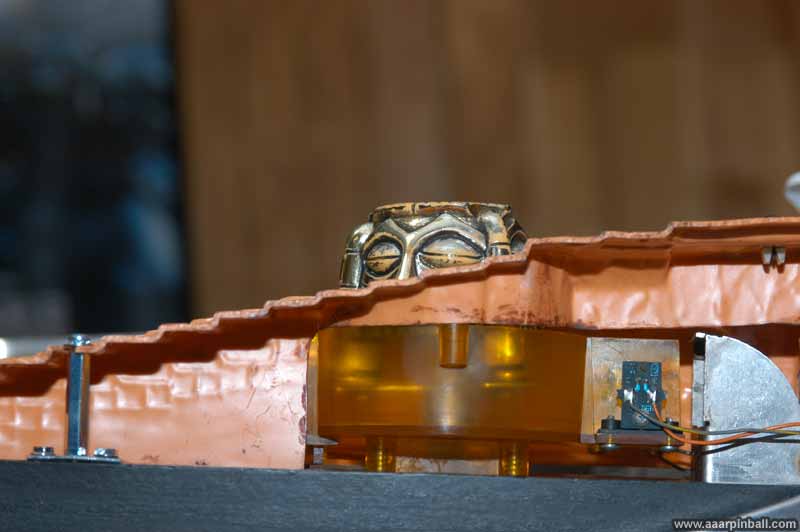
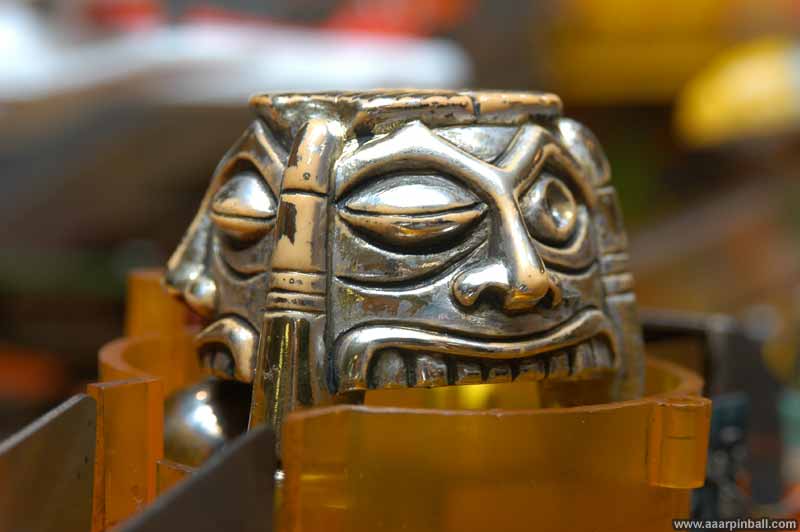
The picture below shows the top of the mechanism that spins the idol. As you can see, it wasn't cleaned when I took this picture.
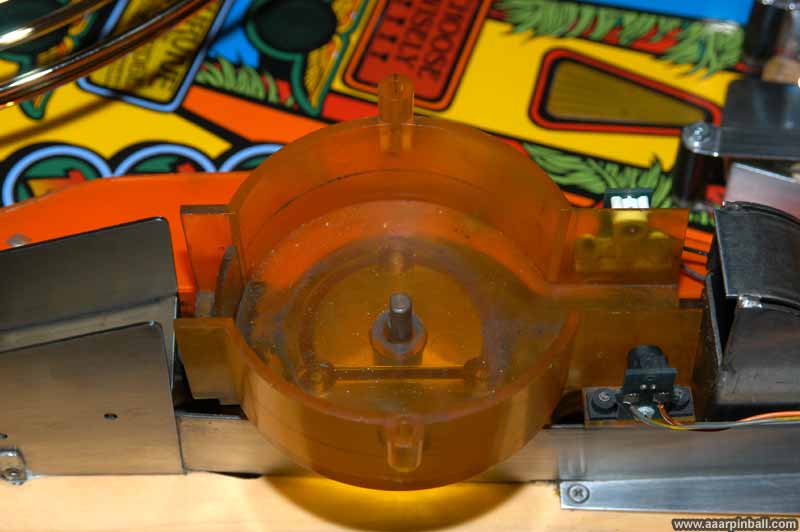
How well does a tumbler work?
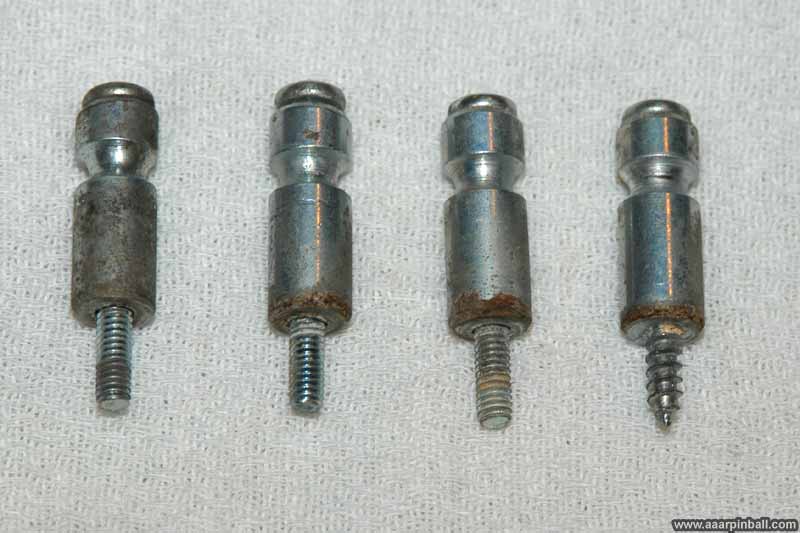
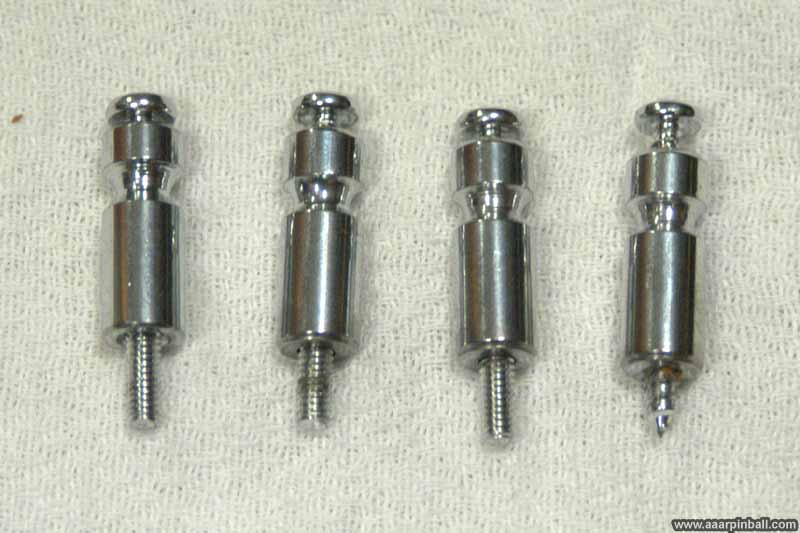
Pretty darn well! It was able to magically transform the posts in the first picture below into the nice and shiny posts in the second picture! That's a pretty significant transformation.
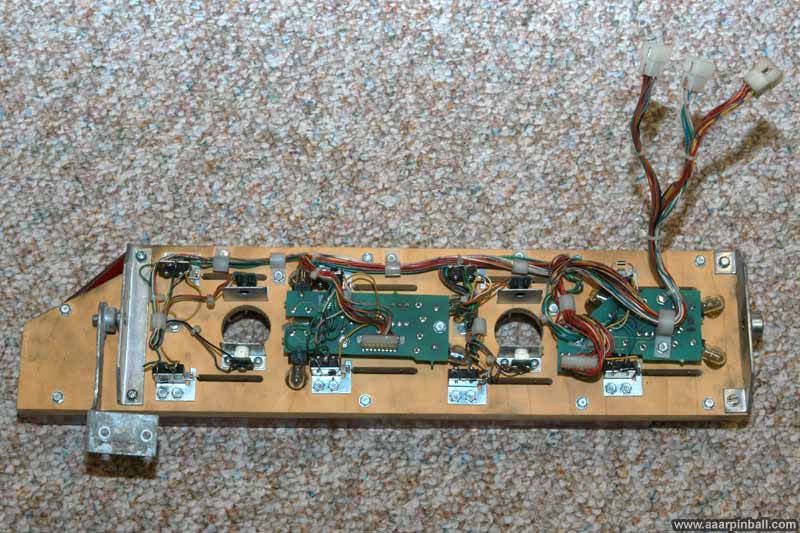
Path of Adventure Bottom?
I haven't seen any pictures of the bottom of the Path of Adventure, so here is one.
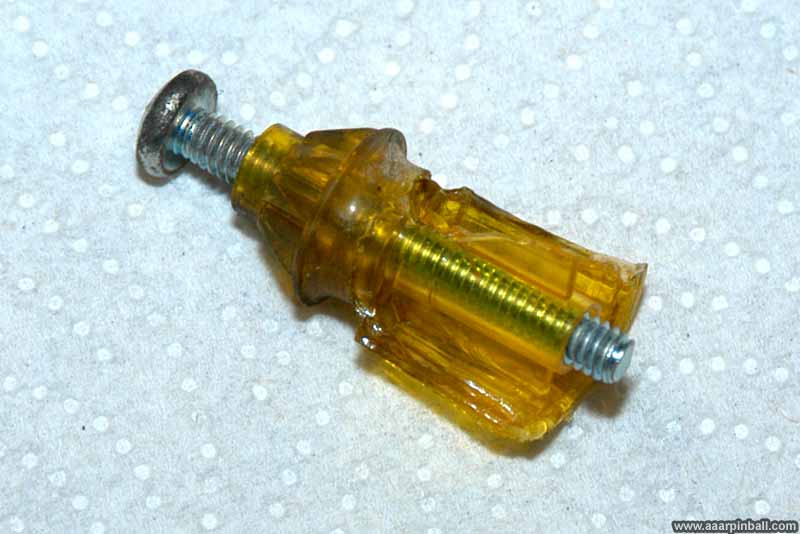
World's Best star post
I found this starpost to be pretty impressive when I removed it from below the path of adventure. Half the starpost was missing! However, the destroyed side was not visible.
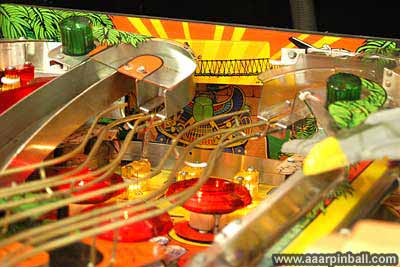
Lost Plastic
My Indiana Jones has the lost plastic. The "lost plastic" is artwork that is at the back of the pinball machine's playfield. It is perpendicular to the playfield, so it "sits up" sort of like a movie screen. It has nice complimentary artwork with rays of light, an airplane, and some trees. Because reproduction "lost plastic" is available, you may not find this very interesting. However, I'm suspicious that I have an original "lost plastic". I don't know for sure (is there a way to tell?), but the I seriously doubt the place I got this pin from would have installed it as an after market. See the "lost plastic" below (it's not a very good picture).
The "Path of Adventure" flasher would never flash
One of the first issues I found with my Indiana Jones was that the Path of Adventure (PoA) flasher would never flash. This flasher is underneath the right ramp. After various troubleshooting, I eventually used the service manual and followed the flasher circuit into the Driver board. I was surprised to find that a transistor was missing, and this was the transistor needed for the "Path of Adventure" flasher.
The Driver board was removed, and a transistor was soldered in place. The PoA flasher has worked like a charm ever since.
Path of Adventure did not tilt reliably
The Path of Adventure (PoA) was impossible to use for the first 6 months of ownership. At the time I did not know whether it was difficult by design or because of a problem. I played around with getting it to work better, but had no success. I was not expecting much because the PoA is one of those parts that appears to frequently go flaky. One night, while tinkering around, I realized something that I wish I had realized sooner.
The PoA mini-playfield is attached to motor by a rod and a cup. The rod protrudes from the motor and gearbox while the cup is attached to the PoA mini-playfield. The cup goes around the outside of the rod, and a small hex nut holds the two together tightly. The hex nut was loose! Because of this, when the motor turned, the rod would turn but the PoA mini-playfield would only move a little bit. Sometimes the rod/cup would move in synchronicity while most of the time the mini-playfield was unresponsive while the rod turned within the cup. This unresponsiveness made it very difficult to quickly tilt the mini-playfield from one side to the other.
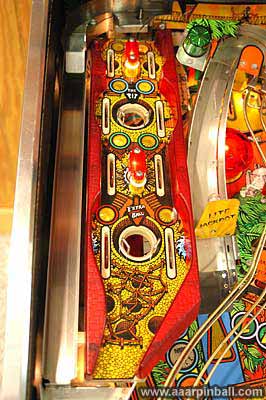
Simply tightening the hex nut made a strong connection between the cup and the rod.
Path of Adventure would stutter when tilting to the right
On one Sunday the Path of Adventure was working great, and then on the following Monday it was stuttering. The Path of Adventure is controlled by the flipper optos (during game play --- not during diagnostics!). When the flipper optos start to go bad, the Path of Adventure misbehaves. The bad behavior might not be noticeable for flippers, but can definitely be a problem for the POA. After examining the right flipper opto board, I decided it would be worth the $29.95 for a completely new board. The image below shows the old opto board.
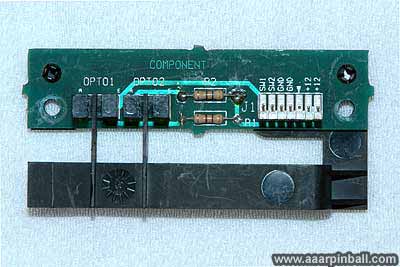
The board is easy to remove. I simply removed two screws and disconnected the cable. I installed the new opto board and the Path of Adventure no longer stuttered. It also moves much smoother than previously. Because I didn't have a comparison, I didn't realize it was always stuttering just a little. The image below shows the newly installed opto board.
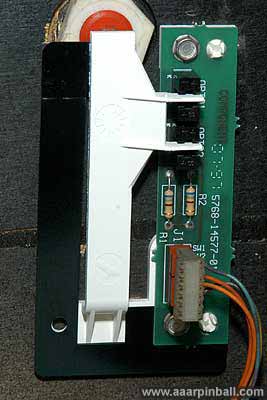
The mini-playfield worked great for several months but then the stuttering problem started
again. I found the following.
- 99.9% of the time the problem only occurs while playing a game (not from diagnostics)
- Only once was I able to see the stutter using the diagnostics mode
- I swapped the left and right flipper opto boards and the symptom changed!
-
Now it didn't stutter (rotating either way) but sometimes it would rotate too far and stop
working
-
It appeared that the upper opto that limits the rotation of the POA was failing
sometimes
- I replaced fuse F115 and now it works 100%
Strange? Well... I read on RPG someone fixed their POA by replacing fuses. I also read on
marvin3m that "...if the unregulated +12 volts is below about 11 volts, the optic switches
can work intermittently!"
I'm keeping my fingers crossed the problem doesn't "just come back."
[Update 6/1/08: After 3 or 4 years, the problem has not come back! Also, I had some incorrect information in an earlier version of this text. It stated that the POA uses the second opto on the flipper control board. This is incorrect and has been removed from the above text]
The "random multi-ball" problem
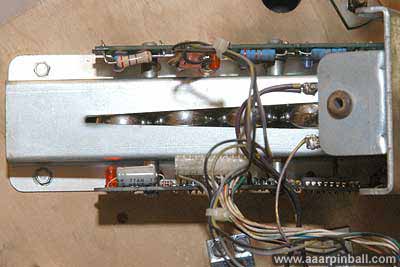
My Indiana Jones experienced one of the problems common with the "new" trough design used by Williams when Indiana Jones was made. The constant vibration from the balls dropping into the trough caused one of the resistors on the trough PCB to develop a cracked lead. I replaced this resistor and have had no problems since. The image below shows the new resistor. It is the one at the top left. The two resistors to its right, which are blue, are originals.
The "machine gun" lights on fighter plane do not flash consistently
I believe the solder connections on the PCB board containing the fighter's LEDs need to be re-flowed. I can get the fighter LEDs to operate correctly by wiggling the PCB board. I have not built up the courage to fix this problem because the solder connections are not exposed and the PCB board is riveted to the fighter.
Idol stopped releasing balls
This was one of those problems that showed up when I was showing off my pinball machine! I cannot remember the specific details of the problem. Either the plastic door that drops down would no longer drop down or it would no longer pop back up. I fixed this problem by disconnecting the door mechanism from under the playfield and reconnecting it. I believe something got slightly out of alignment. Taking off the mechanism and putting it back on fixed the alignment.
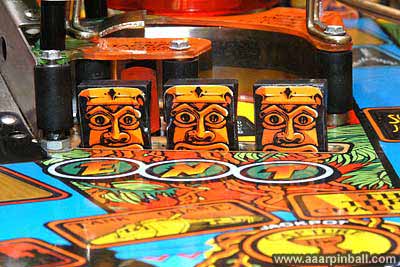
Drop target decals were nasty
I thank the kind pinball community on the internet for this fix. High quality scans of the drop target decals were available at www.ballsofsteel.net but that site is no longer available.
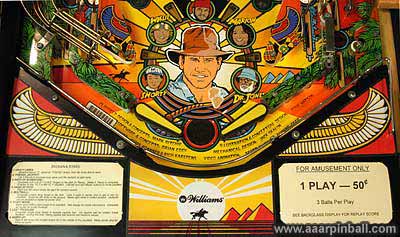
Aprons and artwork at the bottom of the playfield were nasty
As with above, the internet pinball community helped out. High quality scans are available. I scraped off the old decals, printed replacements and attached them. The results are great, as can be seen below.
Missing Bi-Plane
I purchased a reproduction. I had to paint the red on the plane's body, but it turned out well.
Playfield wear
Yes, my Indiana Jones has some playfield wear. It appears that some time back an operator let the right flipper get into bad shape, and it repeatedly hit the playfield. You can see below how some of the artwork has been removed.

The rest of the playfield is in excellent condition. This wear spot does not affect game play at all.
Want to see the cabinet artwork? Look below....